Loft

Tutorials/Start here

Why Loft for professional production

A production usually runs on a spreadsheet for the bid, a tracker for the shots, a review tool for dailies, and AI tools in browser tabs, and the numbers never meet. This is a tour of one studio's slate in Loft, from a bid to the cost of a shot, showing what changes when all of it is one system.

Follow along

Step by step

STEP 01

One studio, one system

Most productions run on four or five tools: a spreadsheet for the bid, a tracker for the shots, a review tool for dailies, AI tools in browser tabs. Each holds part of the truth, and the numbers never meet. Here is one studio's slate in Loft: a short being bid, a commercial booked, a short film in production.
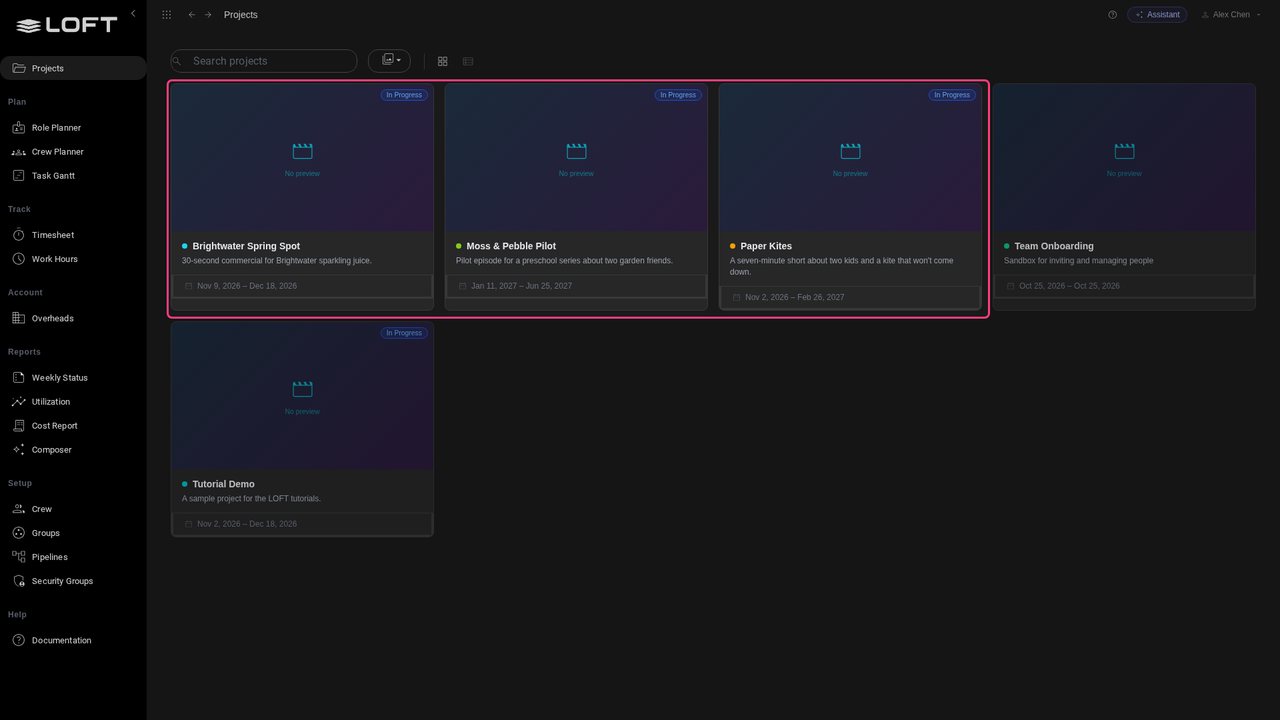
One studio, one system
STEP 02

A bid is data, not a spreadsheet

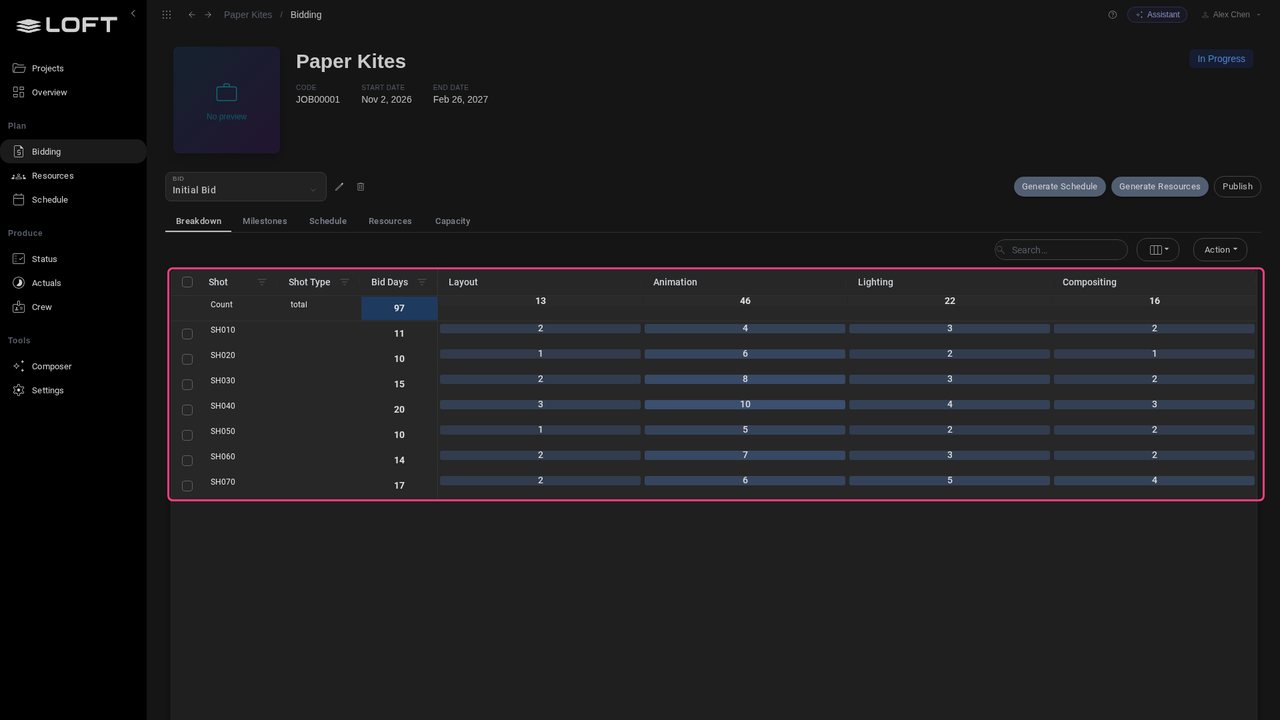
The Paper Kites bid lists every shot with the days each department needs: 97 days in all. It isn't a file someone emails round; every figure in it is what scheduling, booking and actuals work from later.

A bid is data, not a spreadsheet
STEP 03

The bid becomes the plan

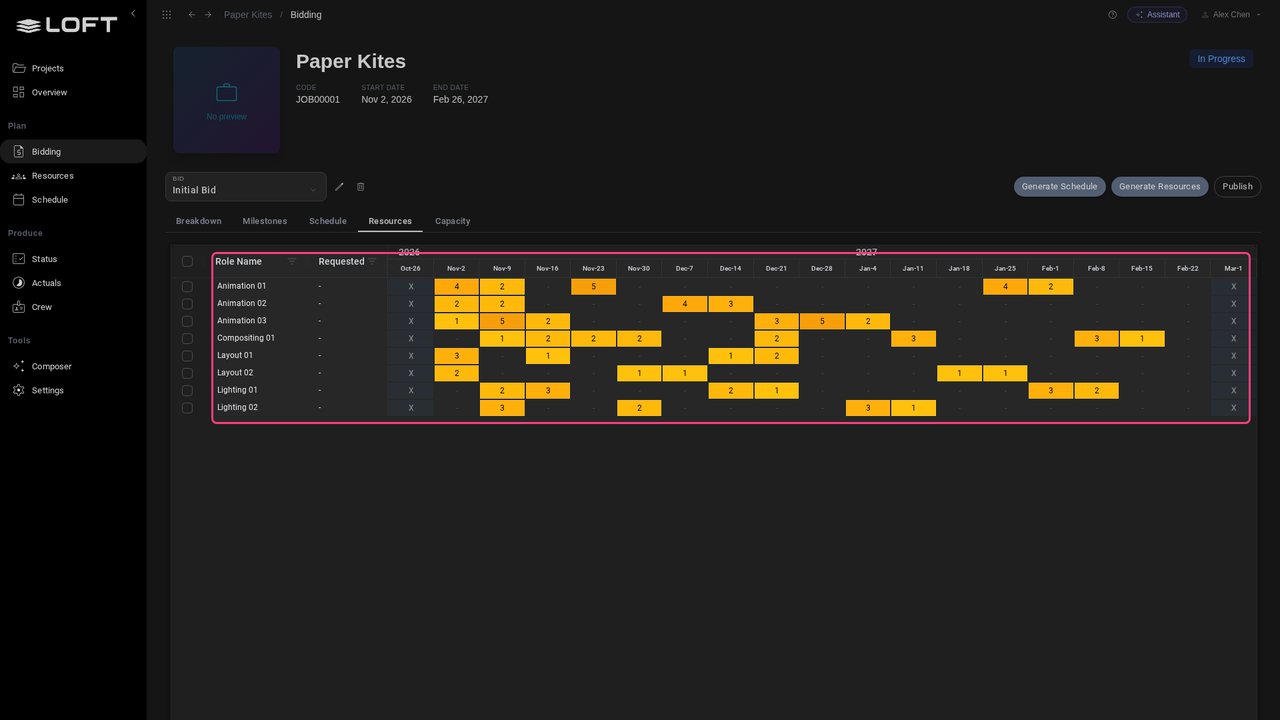
Resources turns those days into roles, week by week: animators, layout, lighting and compositing, each working when the shots need them. Nobody retypes the bid into a planner.

The bid becomes the plan
STEP 04

Know it adds up before you sign

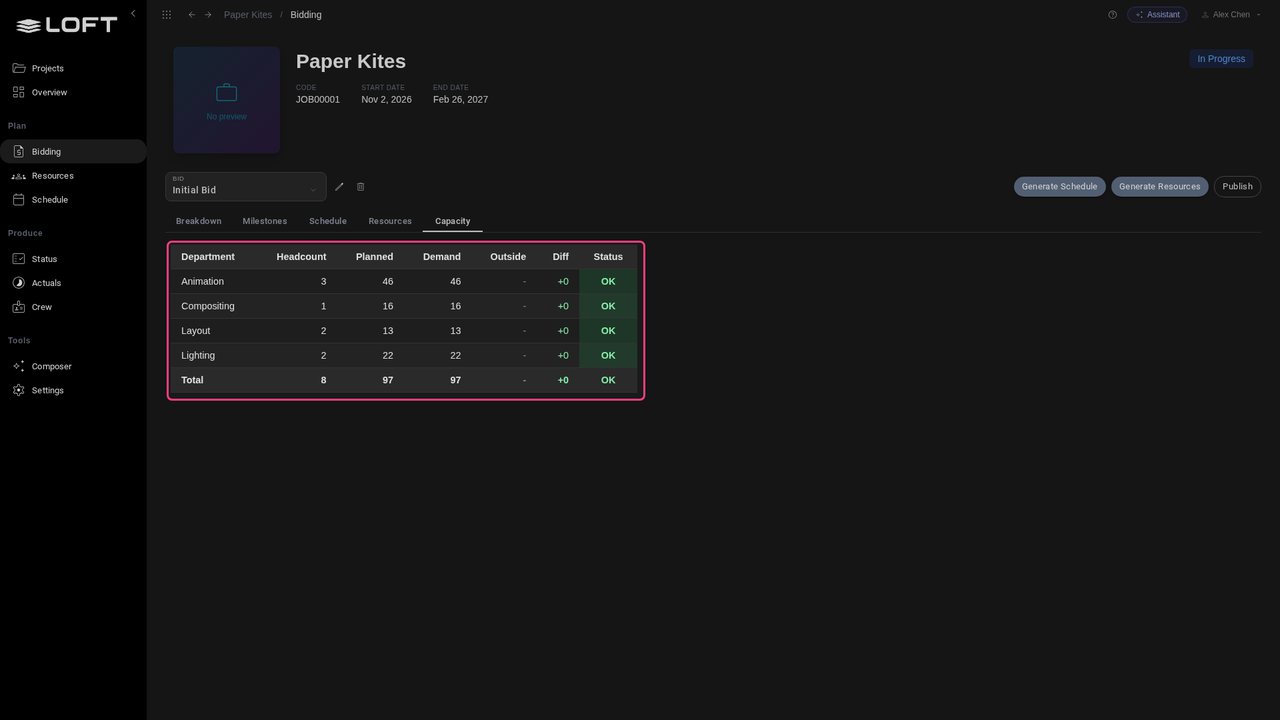
Capacity checks the plan against the bid, department by department. You find out a bid can't be staffed before you commit to it, not halfway through the show.

Know it adds up before you sign
STEP 05

Real people, real weeks

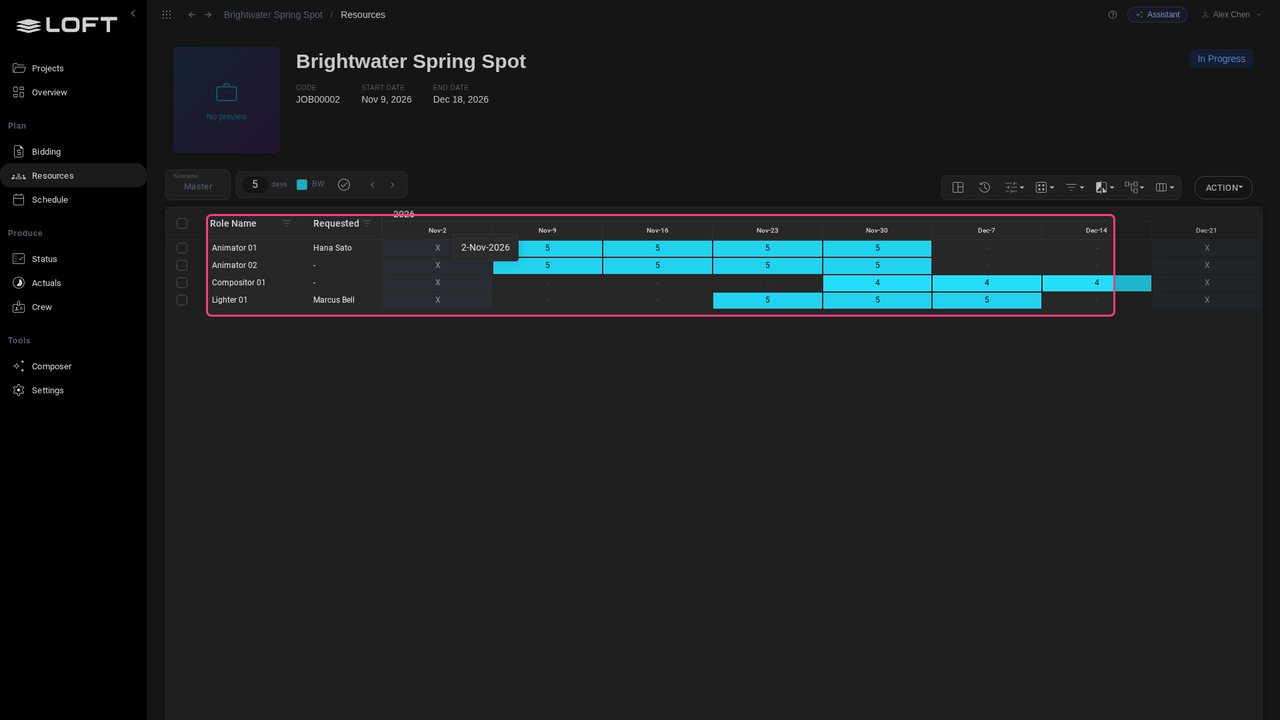
On a booked job, roles carry names. Brightwater's animators and lighter are booked by the week, with the artist the producer asked for. The Crew Planner shows every booking across the studio, so you see who is already committed elsewhere.

Real people, real weeks
STEP 06

The work lives in the same place

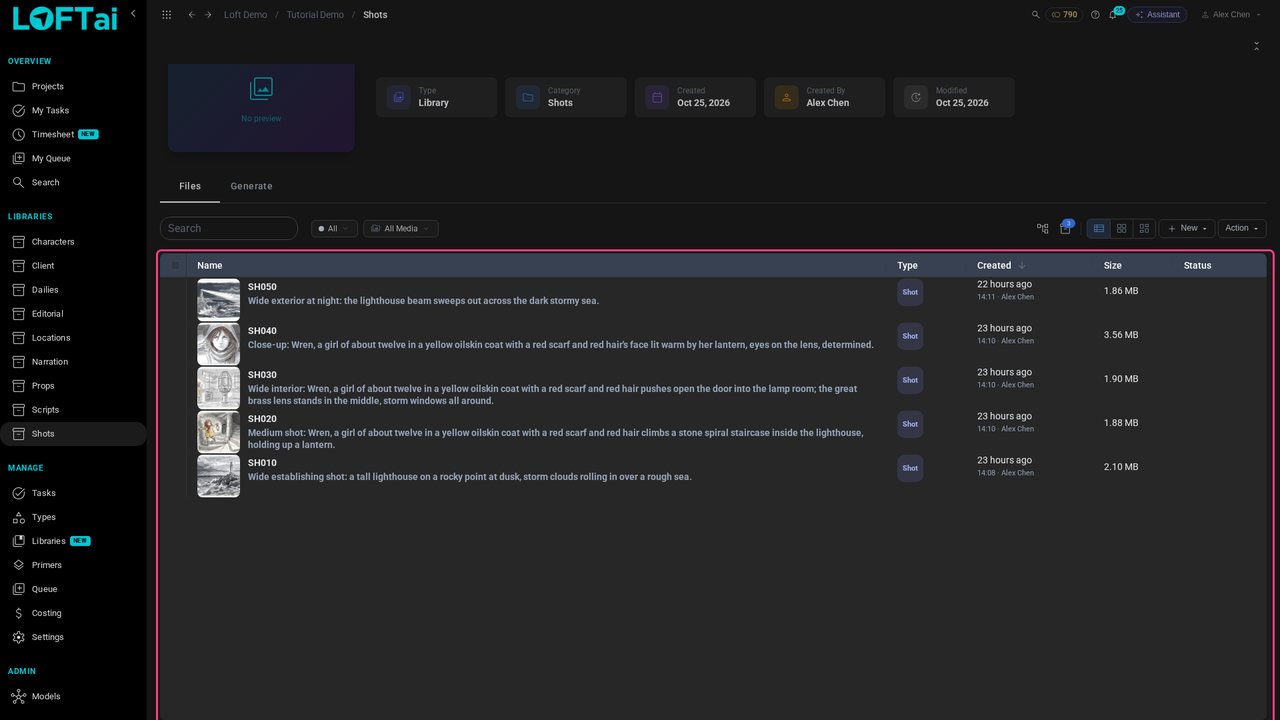
Production happens in Loft too, not in a tracker that only points at it. Every shot of the lighthouse short is an asset: its brief, its storyboard, and later every take, note and task.

The work lives in the same place
STEP 07

Every image knows where it came from

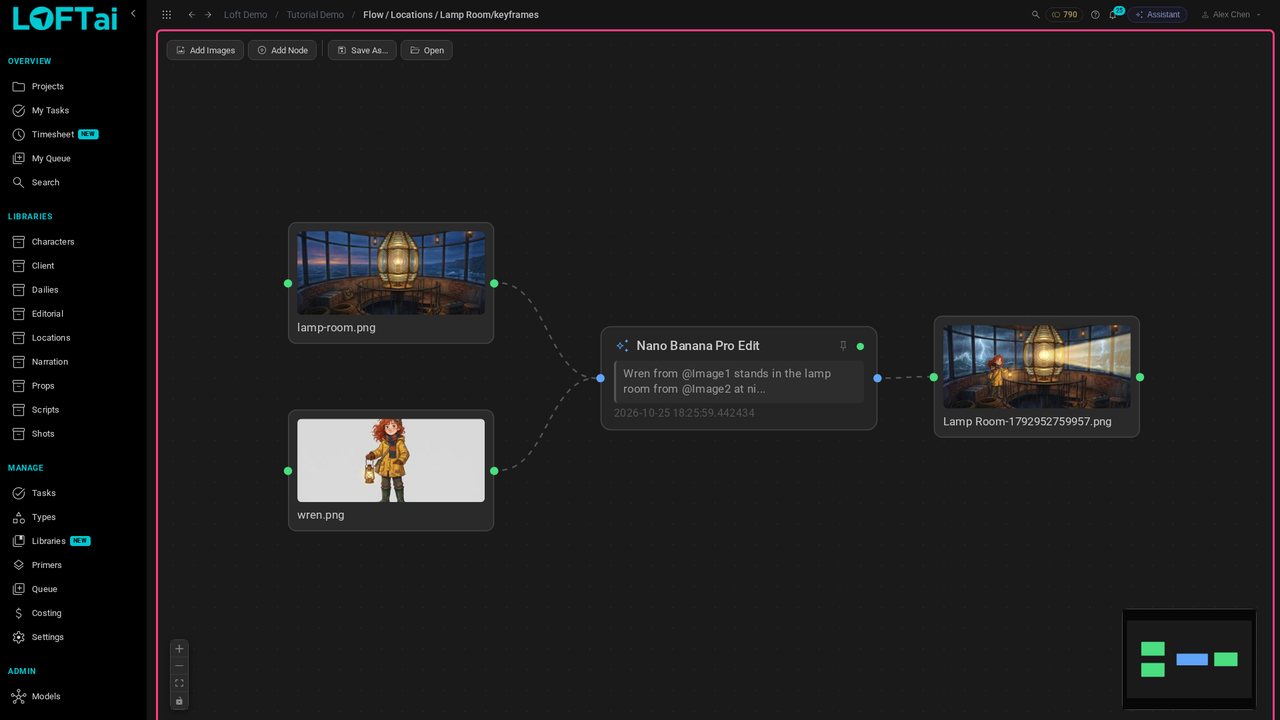
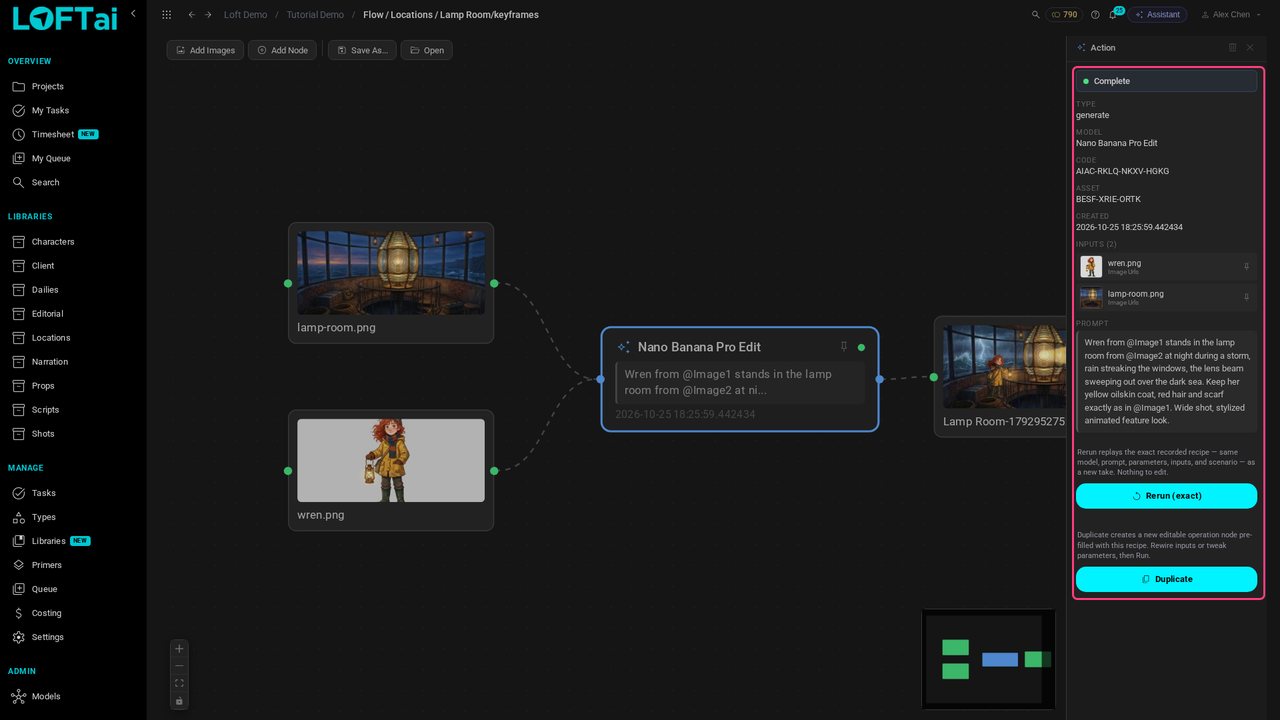
AI generation runs inside the project, on the asset it is for. Open any image's generation flow and it shows exactly what made it: the reference images that went in, and each step that followed.

Every image knows where it came from
STEP 08

Model, inputs, prompt

Each step records its model, inputs and prompt. When a client, a supervisor or a lawyer asks how a frame was made, the answer is on file, and Duplicate remakes it on another model.

Model, inputs, prompt
STEP 09

Timing from day one

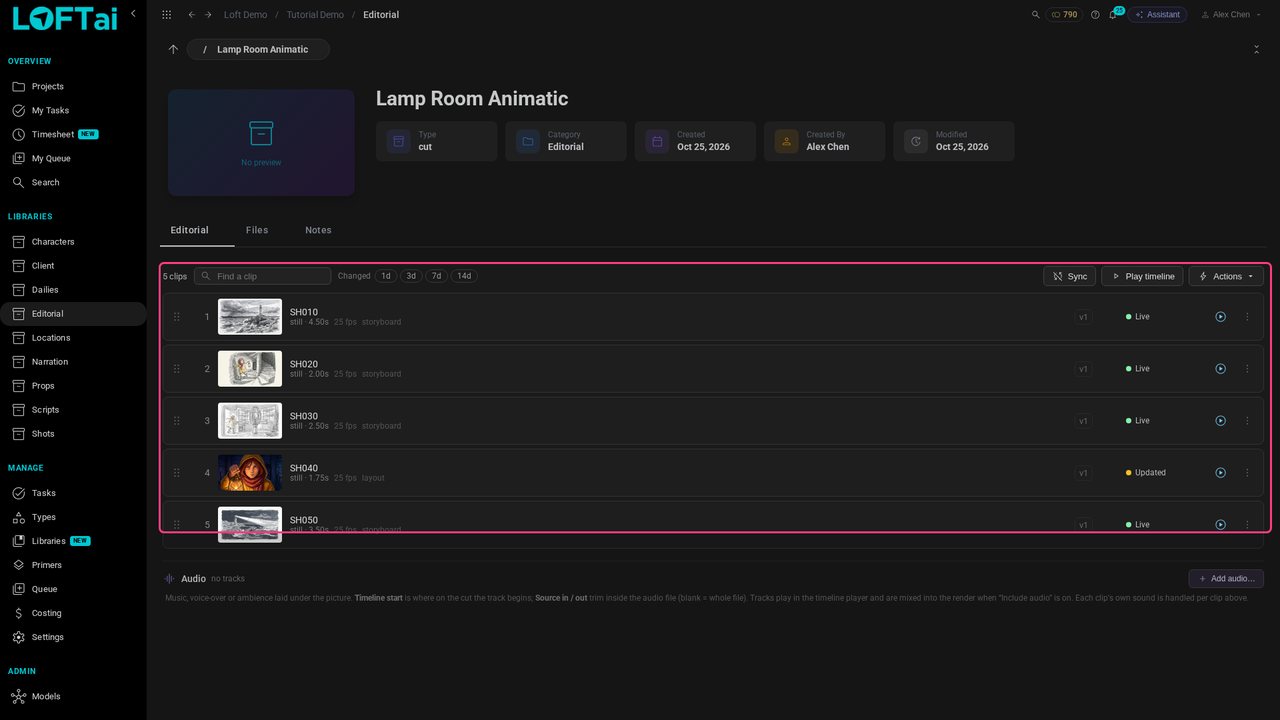
The animatic is a cut built from the shots themselves. Each clip plays its shot's latest published take: SH040 has already picked up its colour frame. The cut keeps up as work is approved, and timing is settled before anyone animates.

Timing from day one
STEP 10

Review where the work is

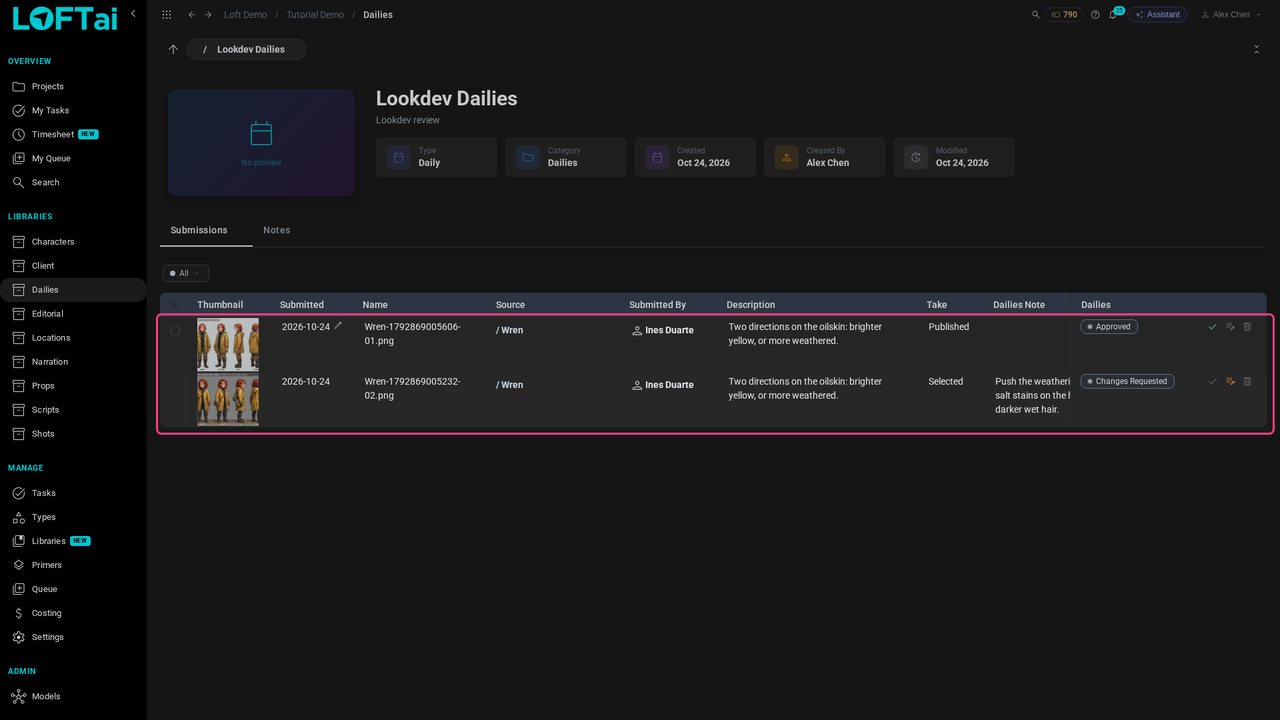
Artists submit takes to a daily, and the supervisor gives each a verdict and a note. The note lands on the take itself, so it never gets lost in an email thread or a separate review tool.

Review where the work is
STEP 11

Clients see only what you share

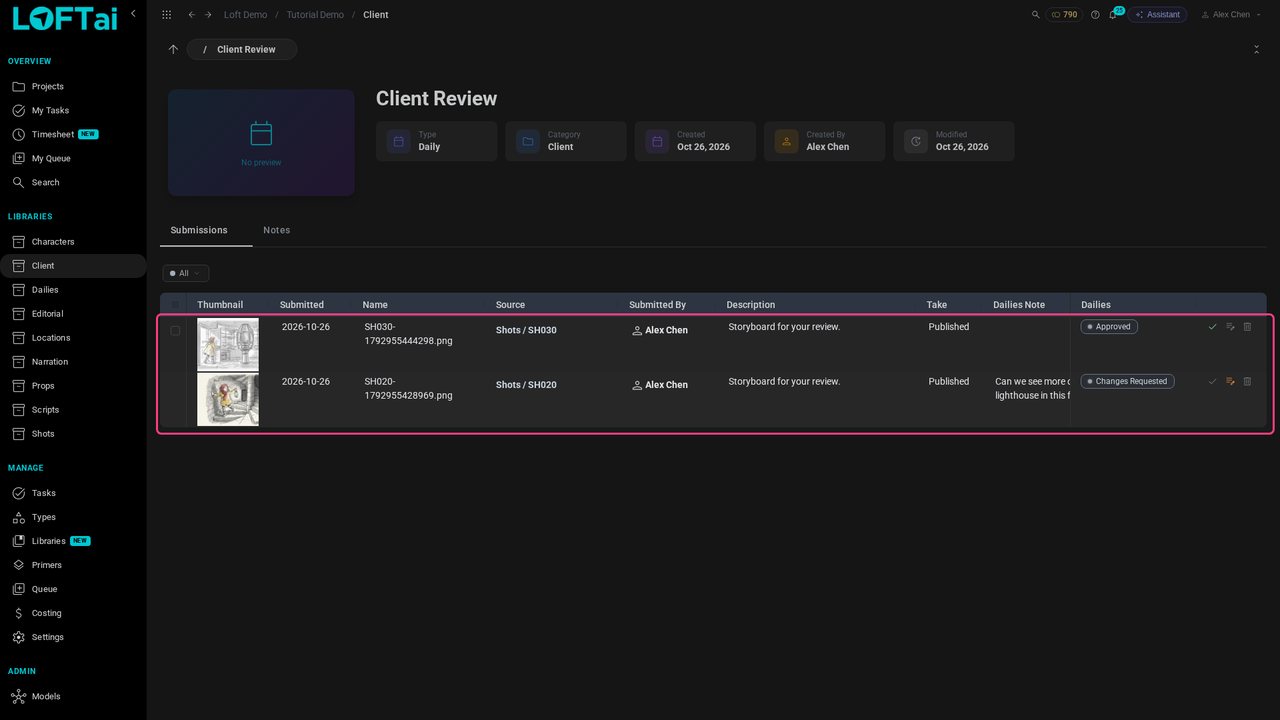
Clients review in the same system, in a library shared with them alone. They approve or ask for changes; they can't see the rest of the project, and they can't create, upload or generate.

Clients see only what you share
STEP 12

What generation really costs

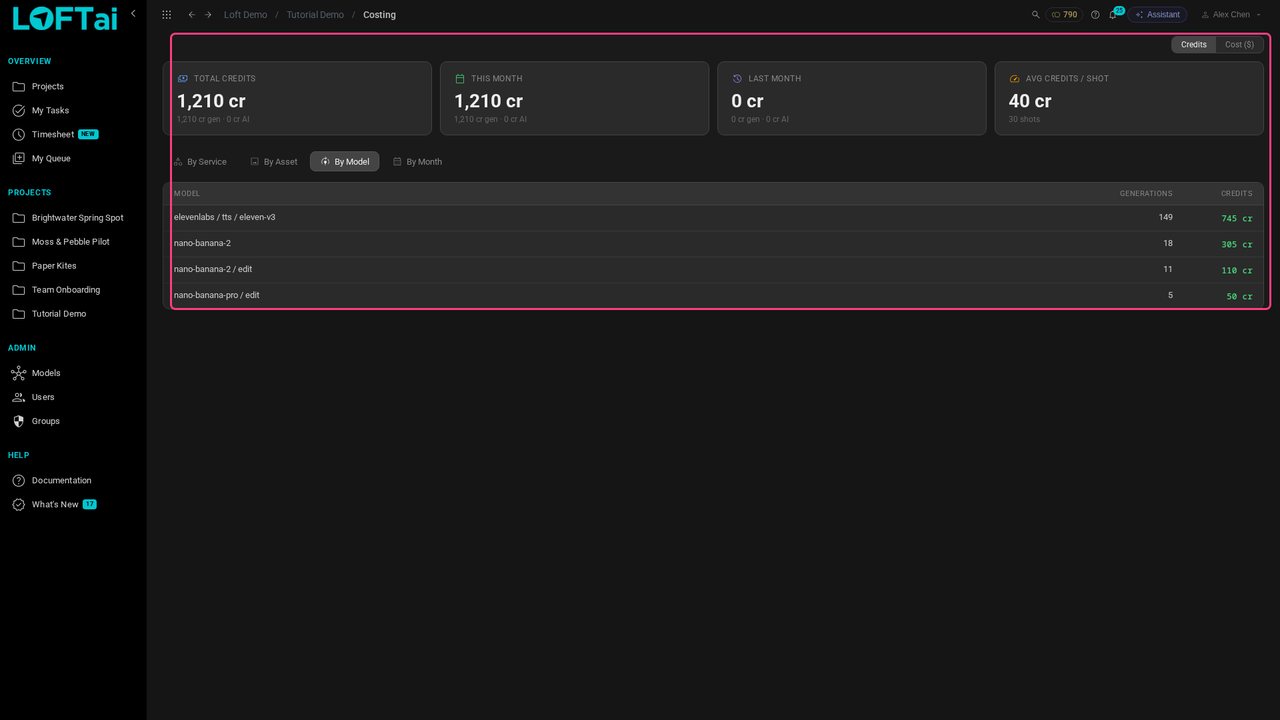
Because generation runs on the asset, every run is costed there. Costing splits the spend by asset, model and month, in credits or money. Here, by model: voice, images and image edits. Not a monthly bill from a vendor that nobody can split.

What generation really costs
STEP 13

Hours against the bid

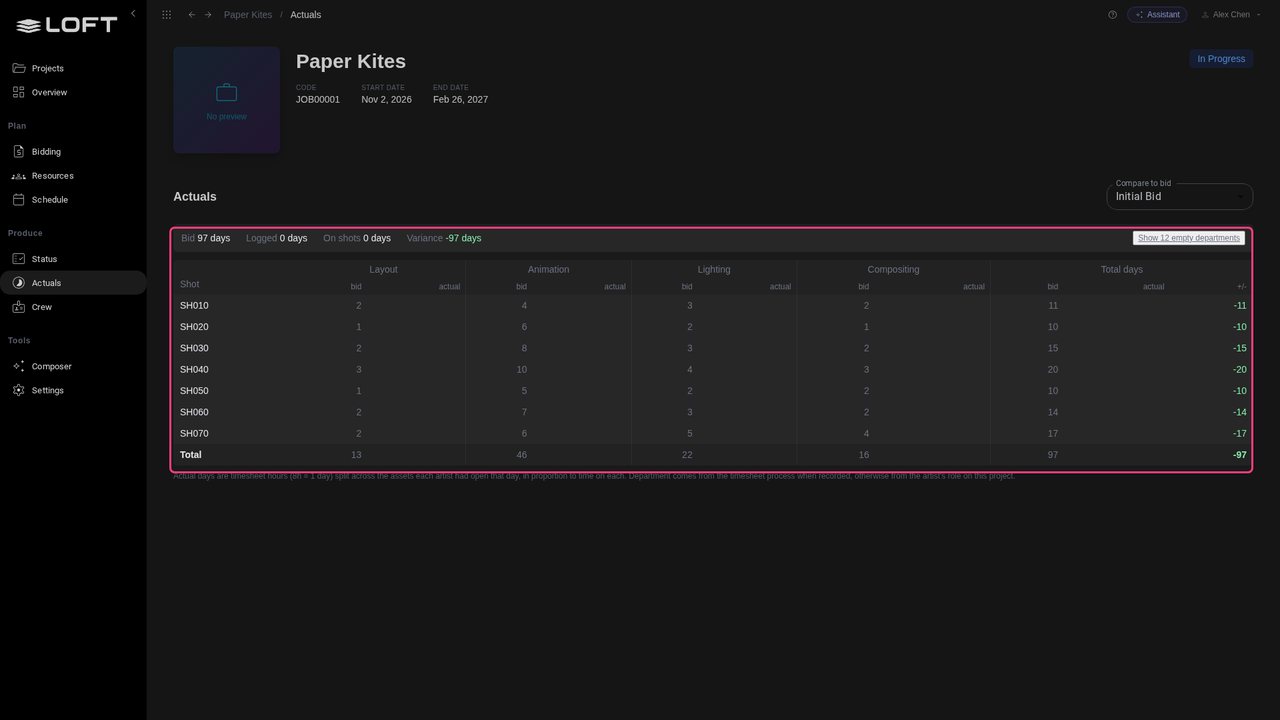
Actuals sets the hours logged per shot against the days bid, department by department. Paper Kites hasn't started, so every shot shows its full bid still to spend; as timesheets come in, the variance shows which shots run over while there is time to act.

Hours against the bid
STEP 14

Ask, instead of digging

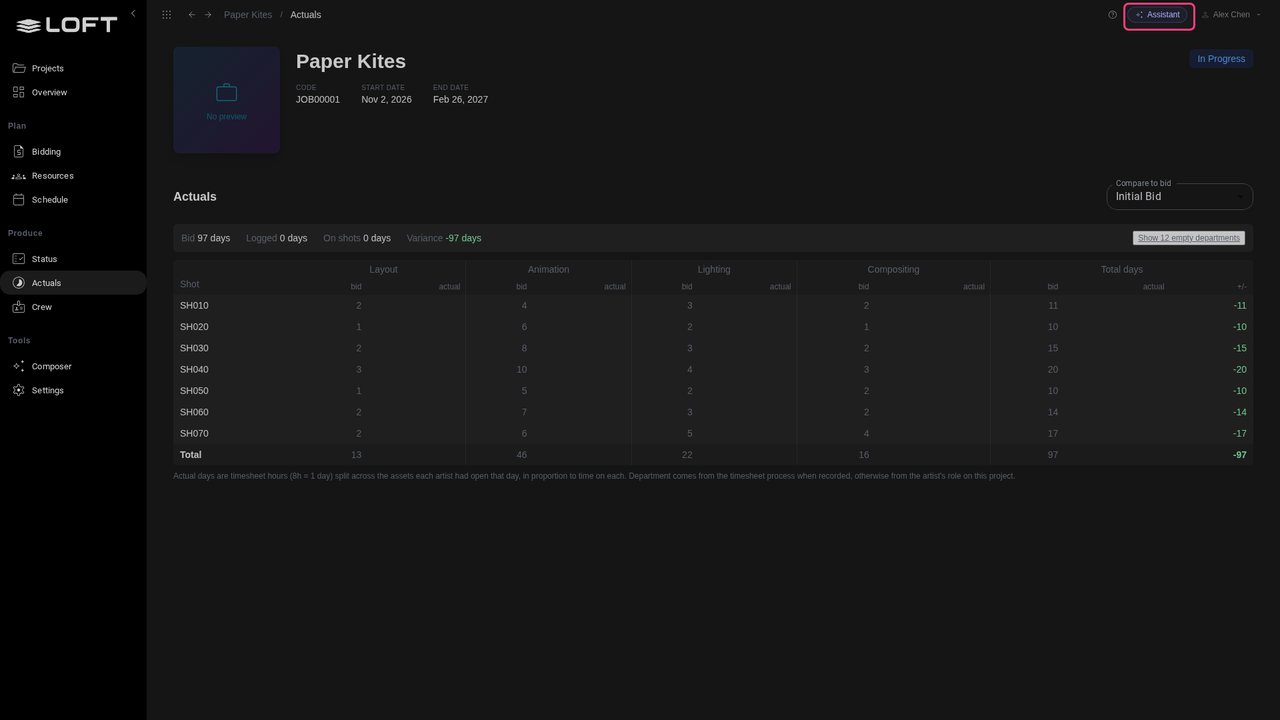
With everything in one place, you can simply ask. The Assistant answers questions about bids, bookings, shots and costs, opens the page that shows it, or builds a report. An API and MCP server let your own pipeline tools and agents in too.

Ask, instead of digging