
STEP 01
It starts as a bid
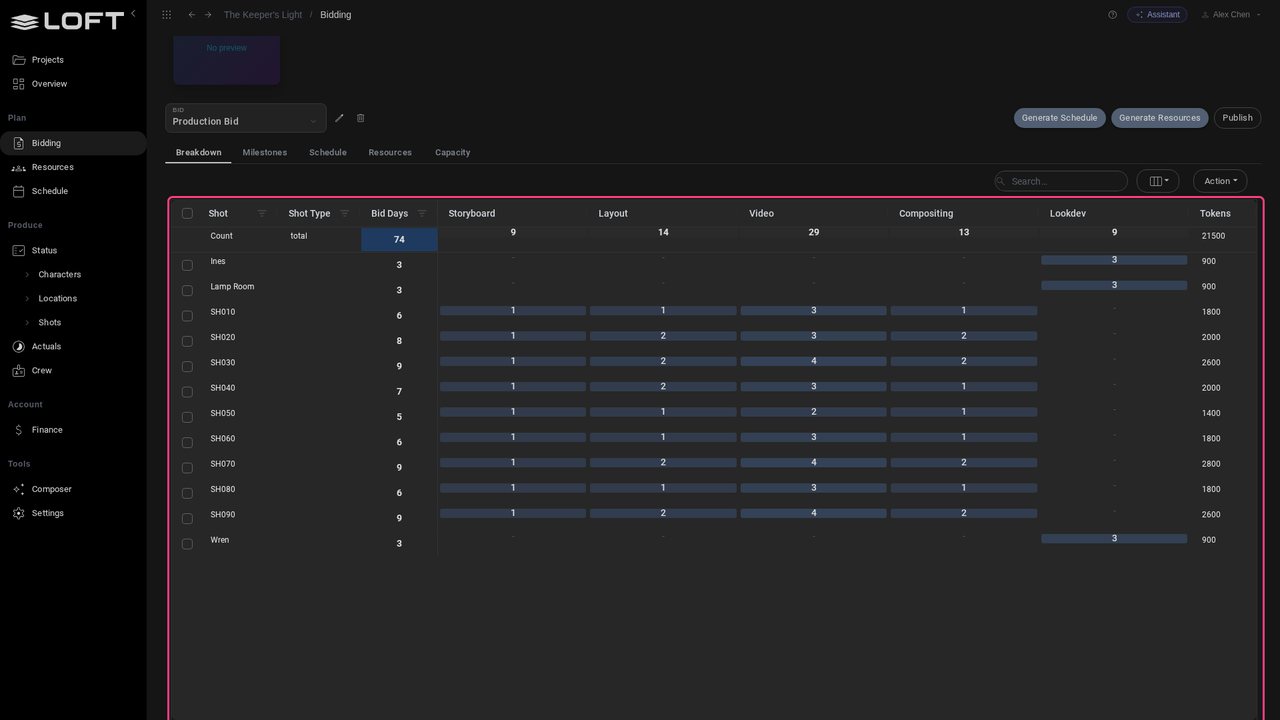
It starts as a bid: every shot, the days each step needs, and the AI tokens it will spend.
Tutorials/Start here
One system for an AI production, from the bid to the P and L. Here is one short, start to finish.
Follow along
It starts as a bid: every shot, the days each step needs, and the AI tokens it will spend.
Publish it, and it is the schedule: tasks, dates and the booked crew, artist by artist. Nobody retypes a thing.
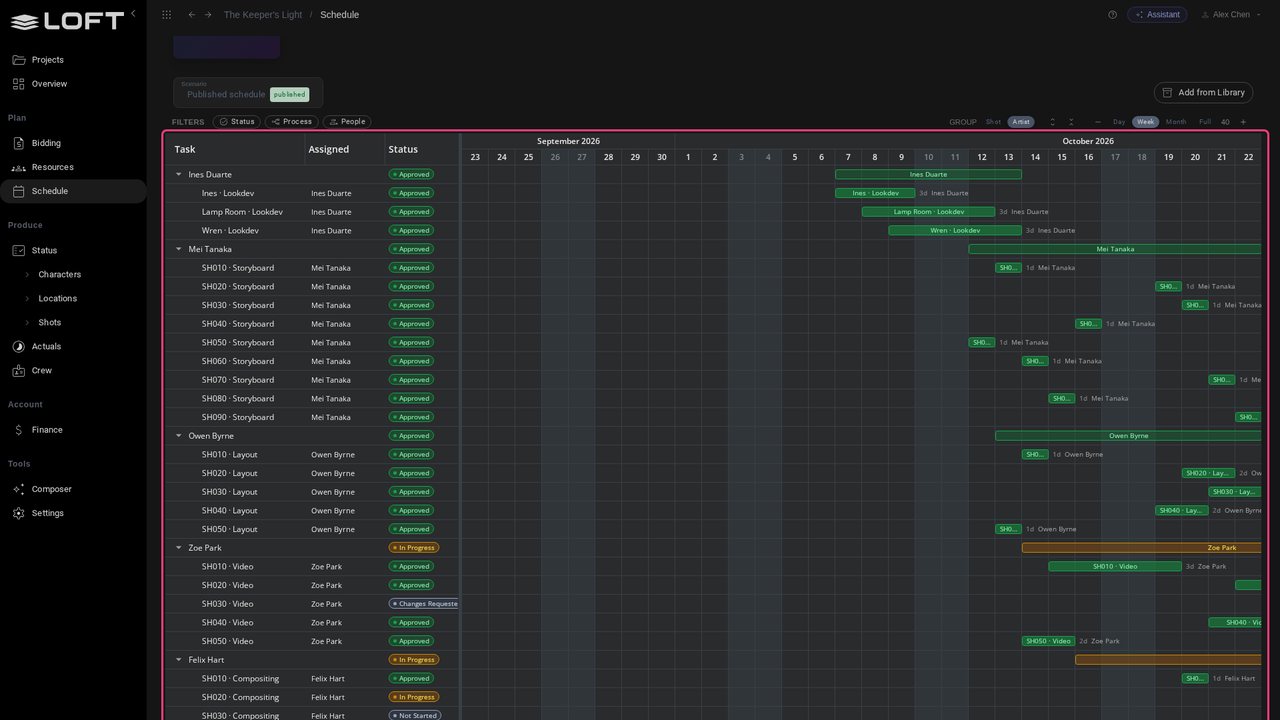
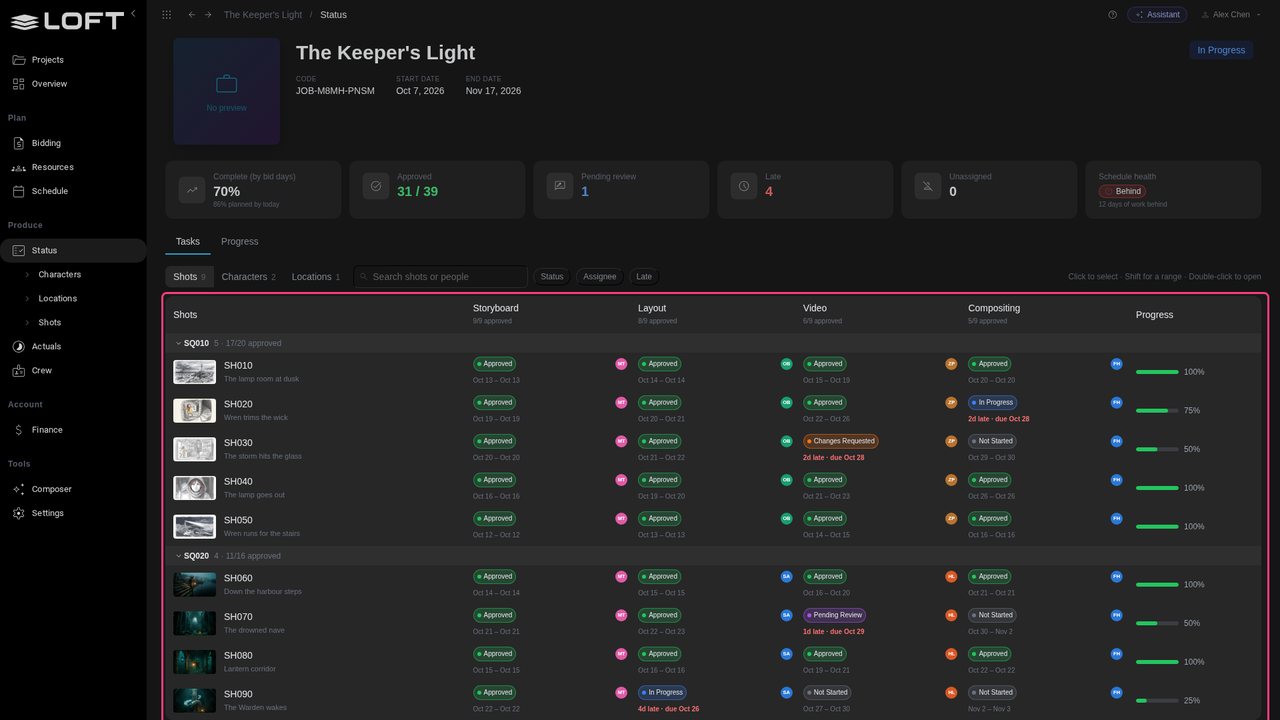
Every shot and every step on one grid: who has it, when it is due, and where it stands.
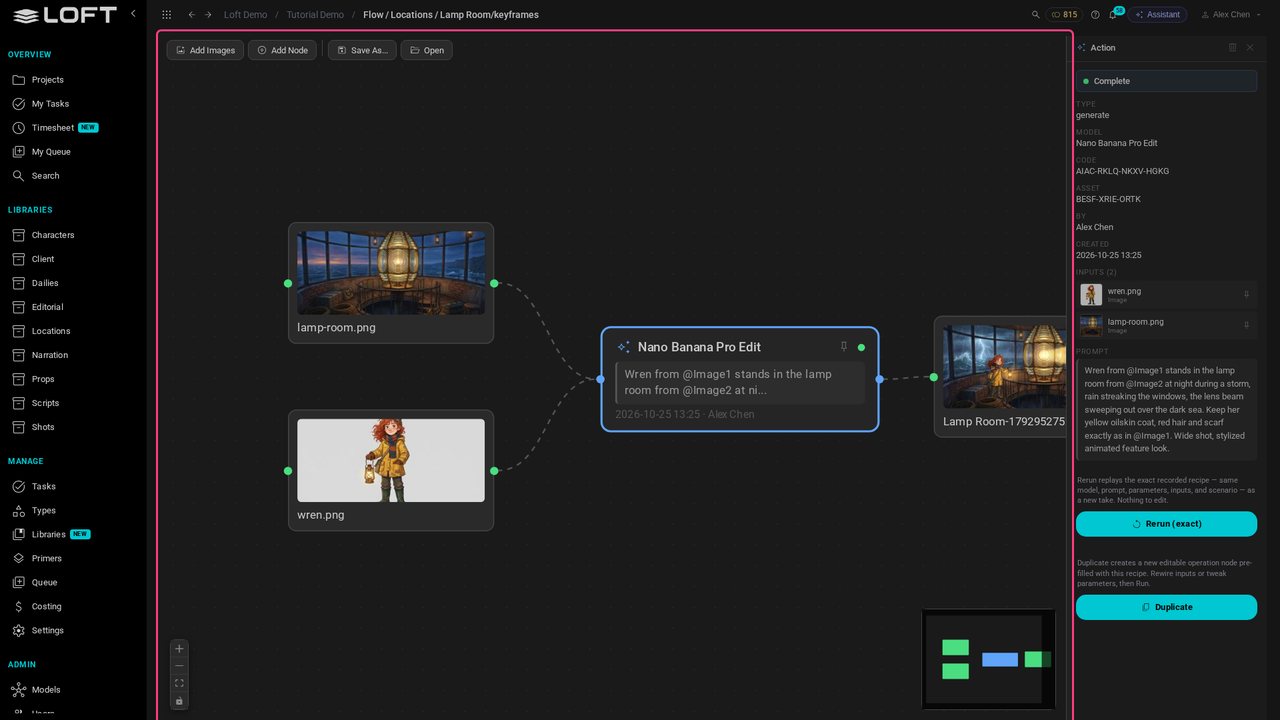
Artists generate inside Loft, on the shot itself. Every image keeps the model, inputs and prompt that made it.
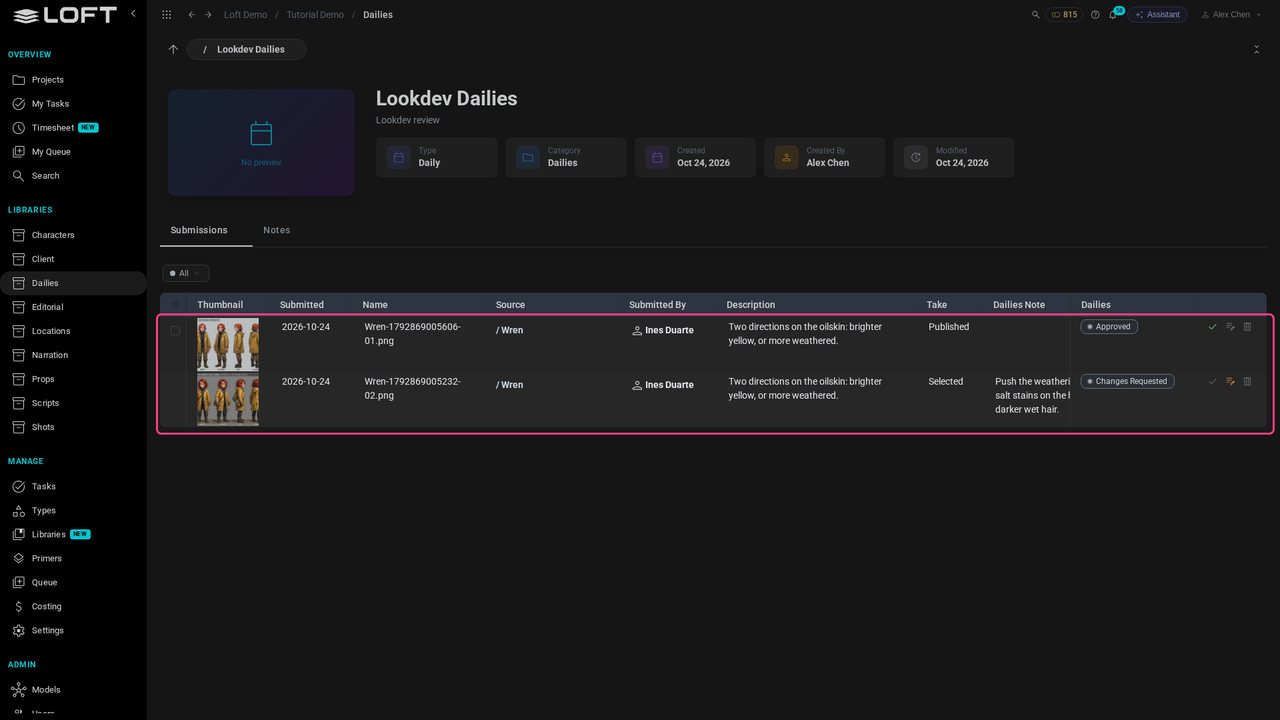
Takes go to dailies, where directors approve them or send them back with a note. Clients see only what you share.
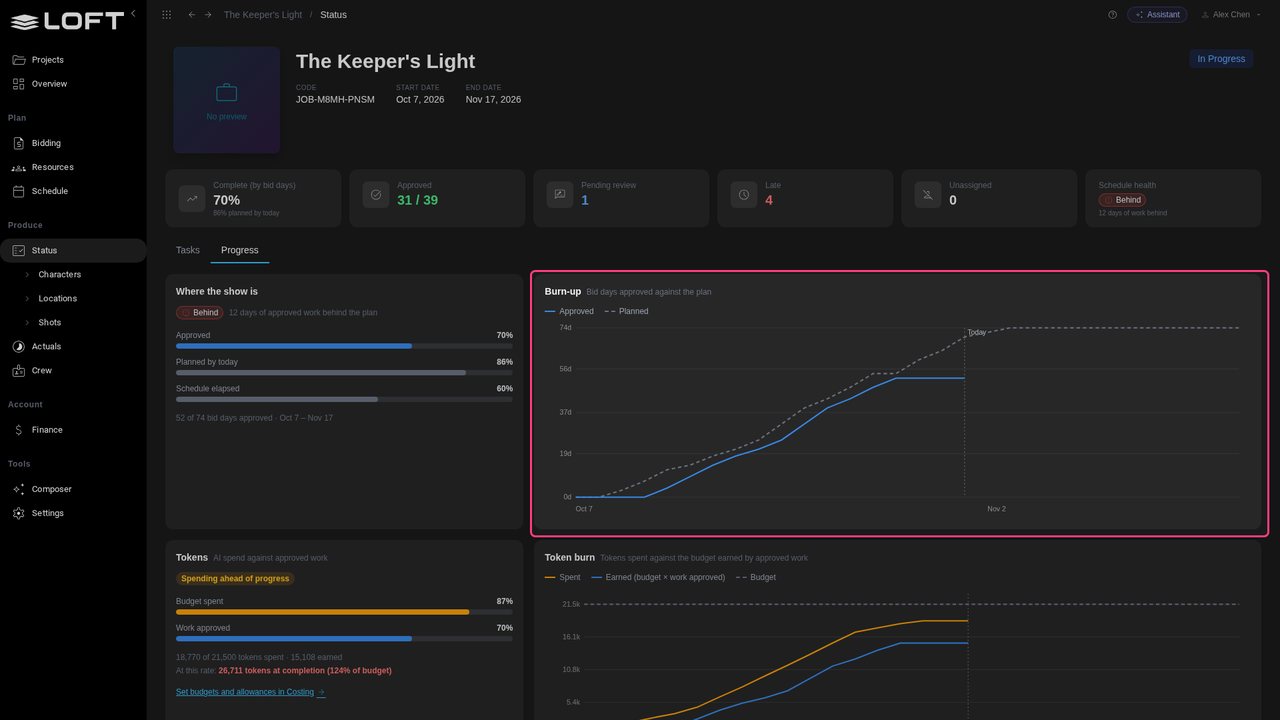
Three weeks in, Progress measures approved work against the plan. This show is eight days behind, and you can see exactly where.
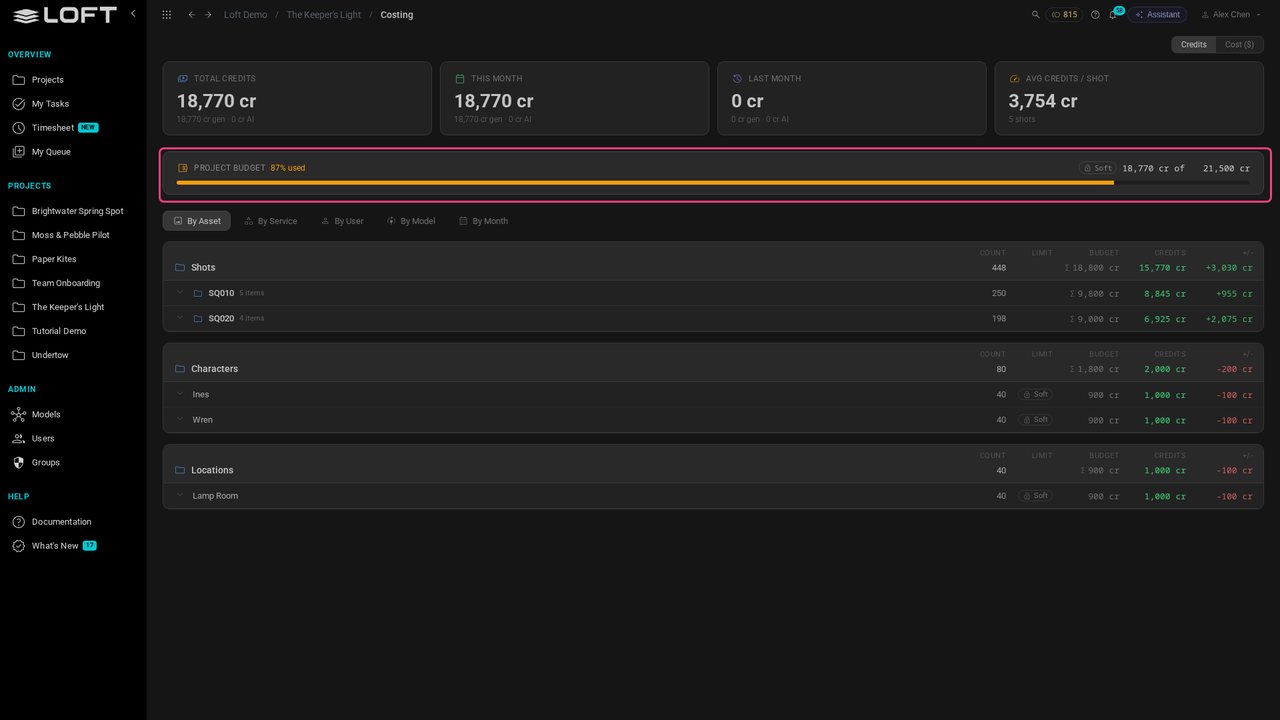
Every generation is costed on its shot, against the budget from the bid. A hard limit stops a take before it overspends.
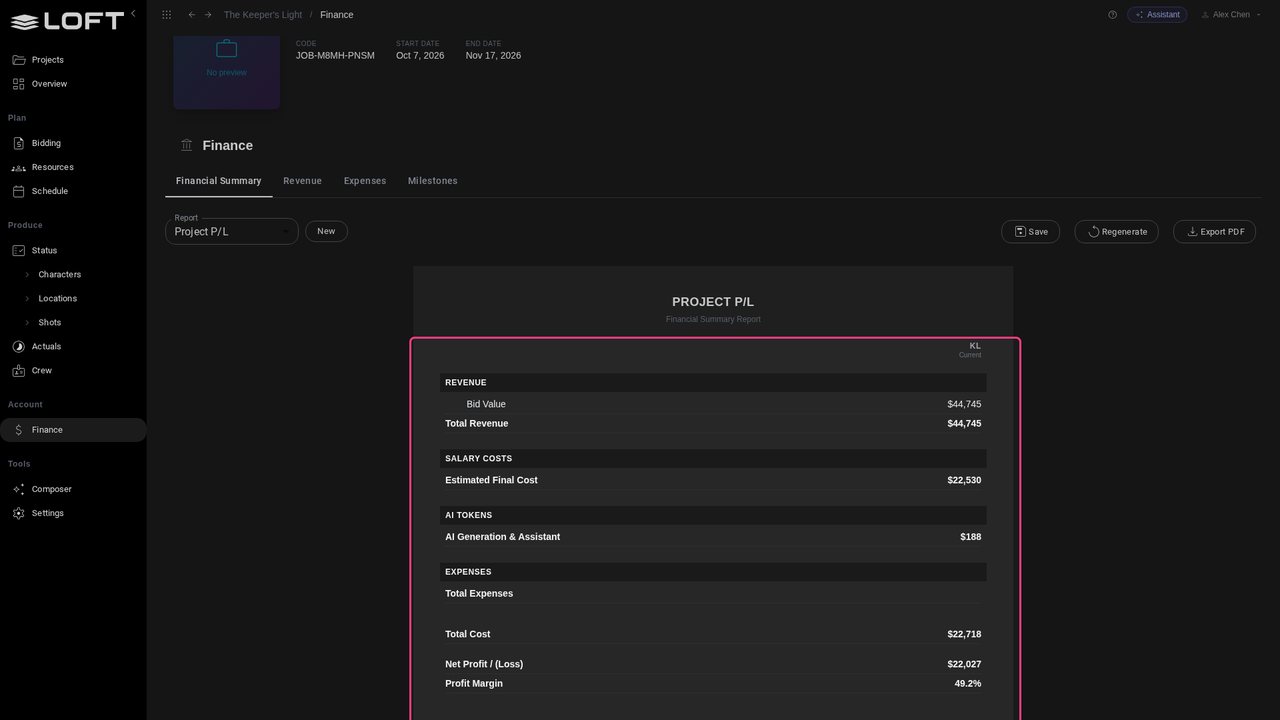
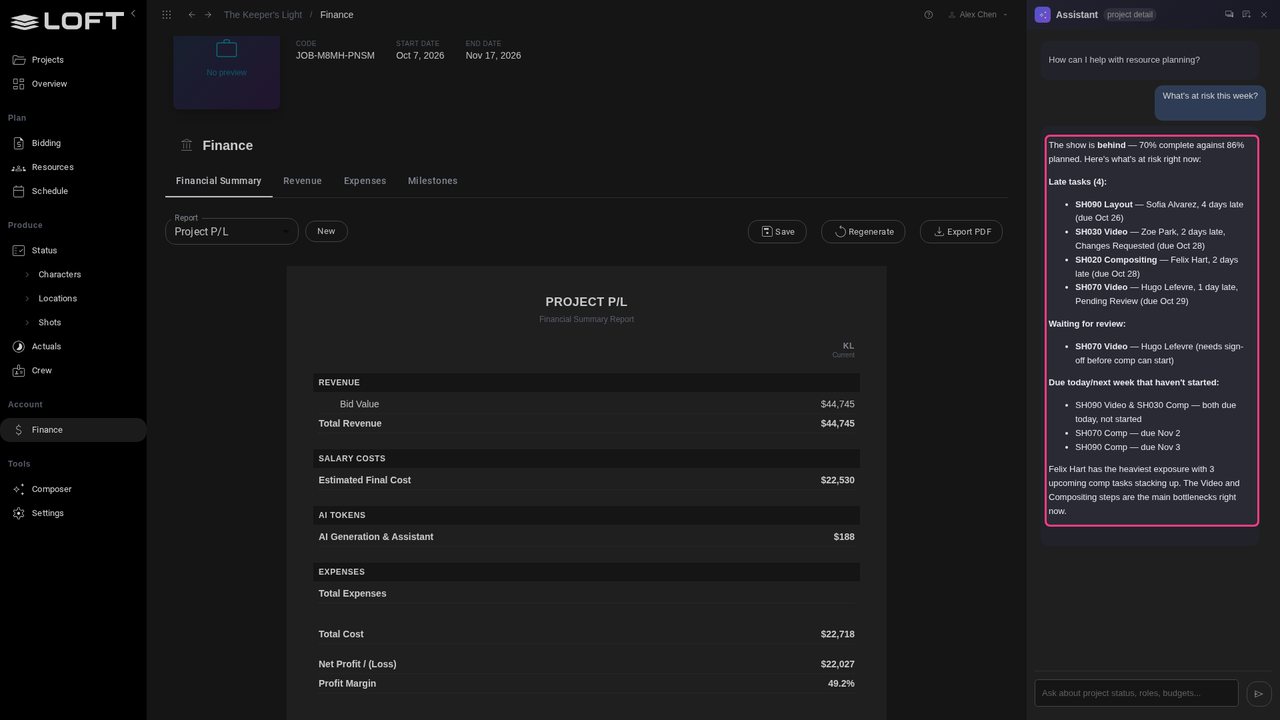
And it all lands in the P/L: labour and AI spend, against what the client pays.
Or skip the digging, and ask. The Assistant reads the same numbers: what is late, what is waiting, and what is next.
Up next in Start here
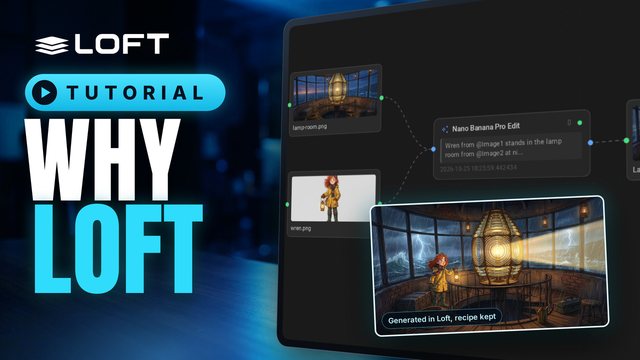
A production usually runs on a spreadsheet for the bid, a tracker for the shots, a review tool for dailies, and AI tools in browser tabs, and the numbers never meet. This is a tour of one studio's slate in Loft, from a bid to the cost of a shot, showing what changes when all of it is one system.
In the playlists Start here.