Who is in the studio
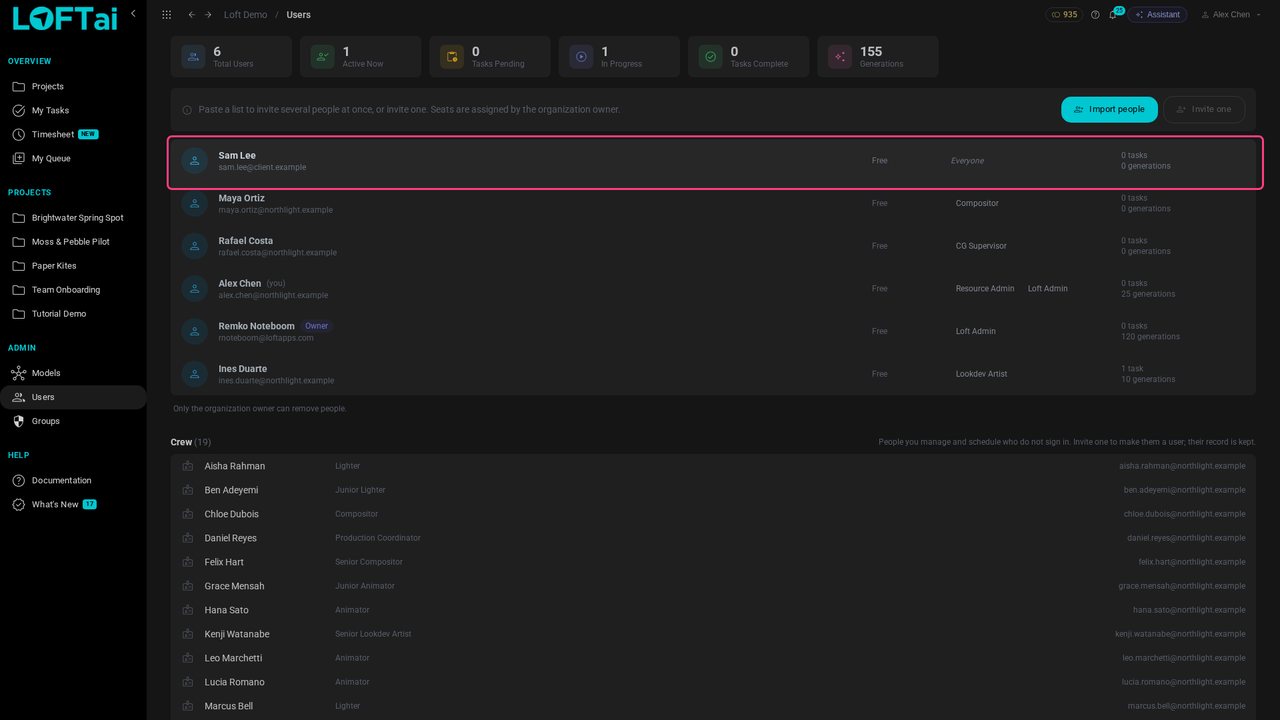
Alex runs the studio's people. Users lists everyone who can sign in, with their seat and their groups. The organization owner invites people and assigns seats; Sam Lee, an outside reviewer, has already accepted an invite.
Tutorials/Plan and run a production
A client reviews what you choose to show them, and nothing else. Give the project a Client library that only the Client group can see, add a daily to it, and submit work there. The client opens the daily, looks at each submission and approves it or asks for changes.
Follow along
Alex runs the studio's people. Users lists everyone who can sign in, with their seat and their groups. The organization owner invites people and assigns seats; Sam Lee, an outside reviewer, has already accepted an invite.
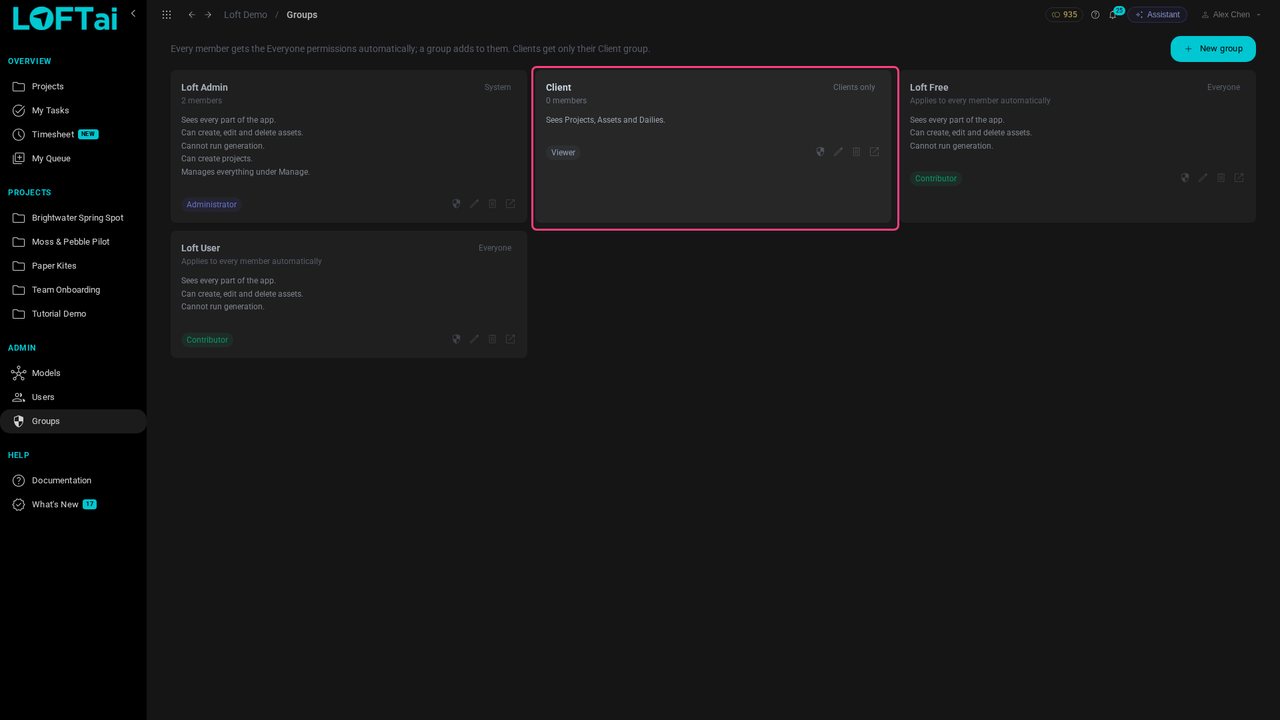
On Groups, the groups marked Everyone apply to every member automatically. Client is the exception: its members get only what it grants, and see only the libraries shared with it.

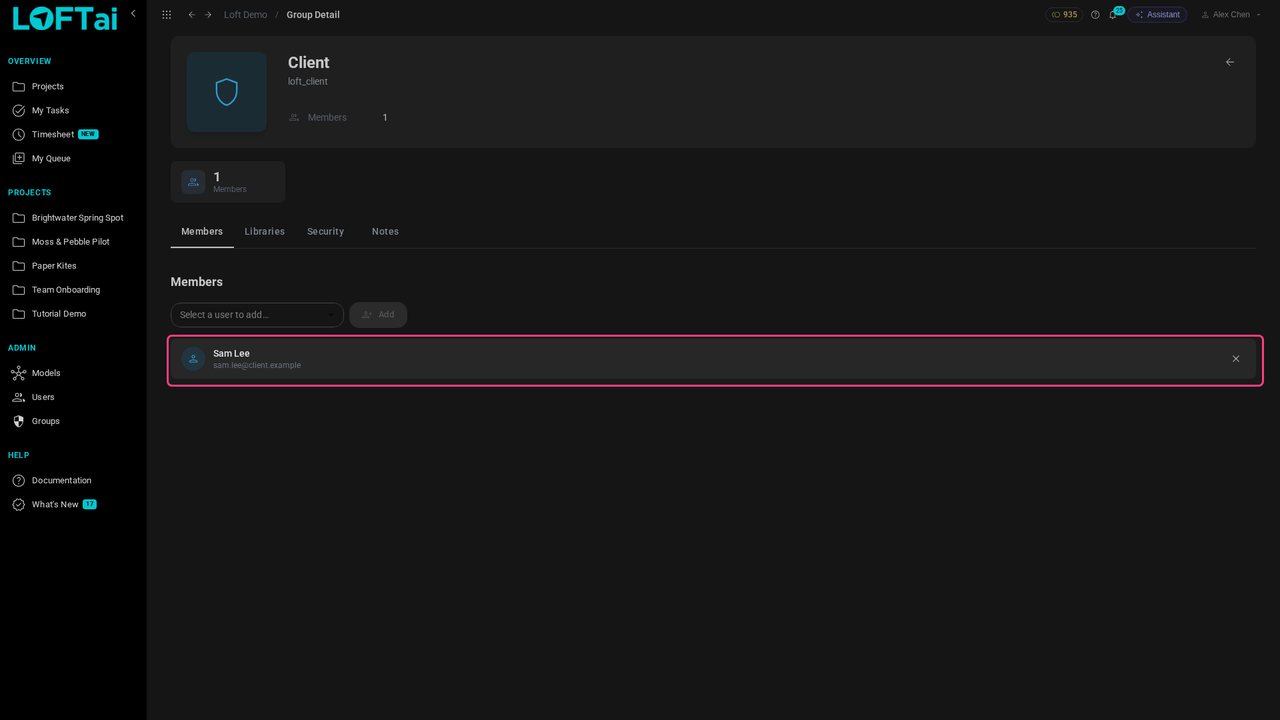
Open Client, pick Sam Lee under Members and click Add.

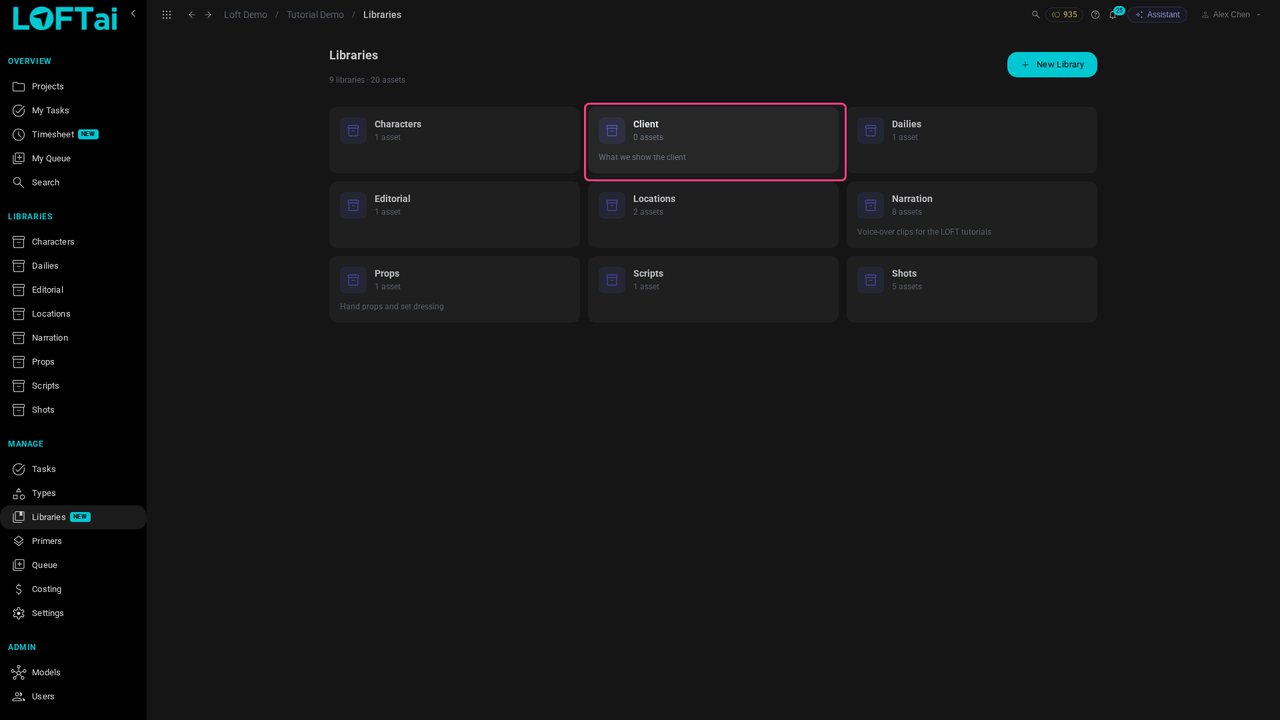
In Tutorial Demo, open Libraries under Manage and create a library called Client. It holds what you show the client, and only that.

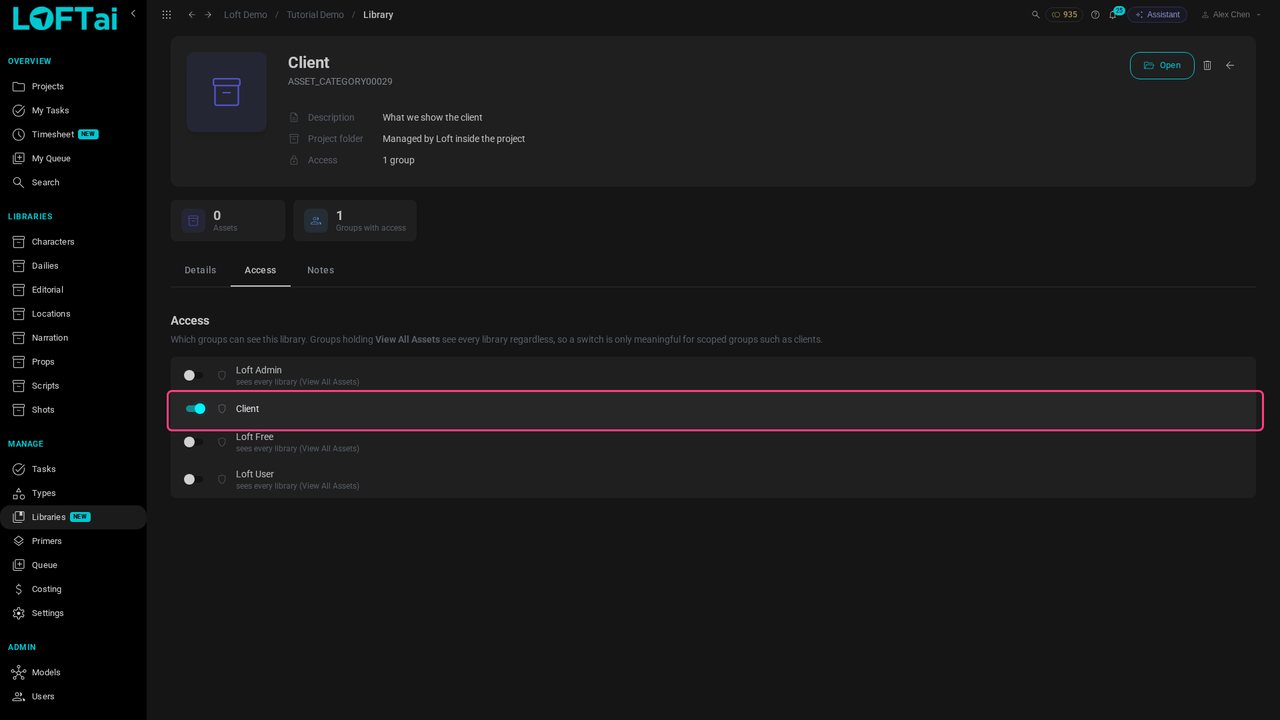
Open the library's settings and, under Access, switch on Client. The studio sees every library anyway; this is the one the Client group sees.

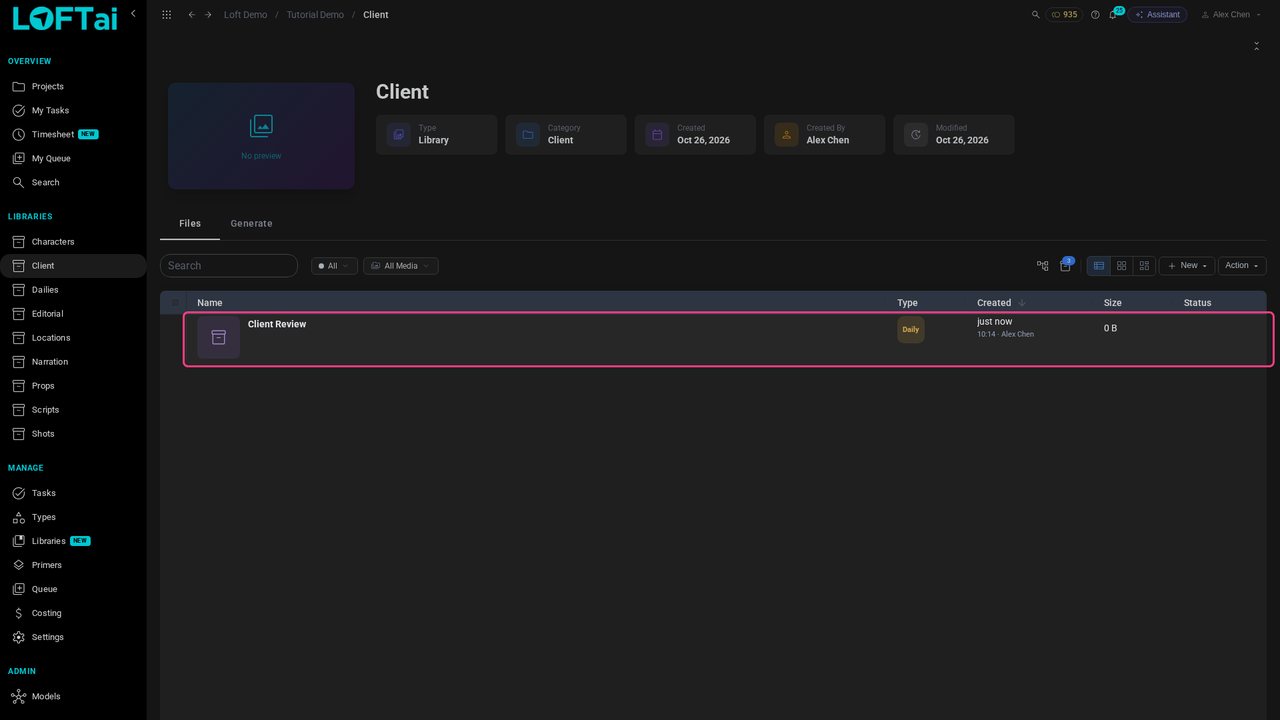
In the Client library, choose New > Daily and call it Client Review. A daily collects the work you submit for review.

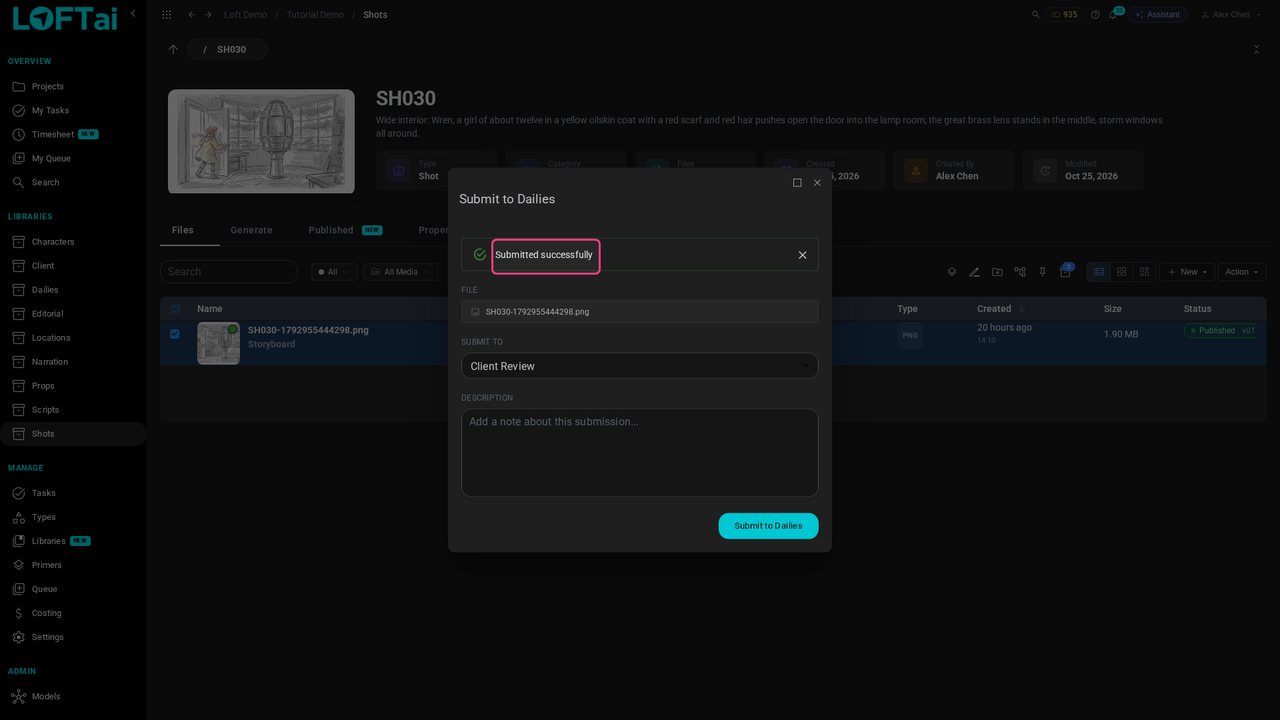
Open a shot, tick its storyboard and choose Action > Submit to Dailies, with Client Review as the daily. Alex sends SH020 and SH030.

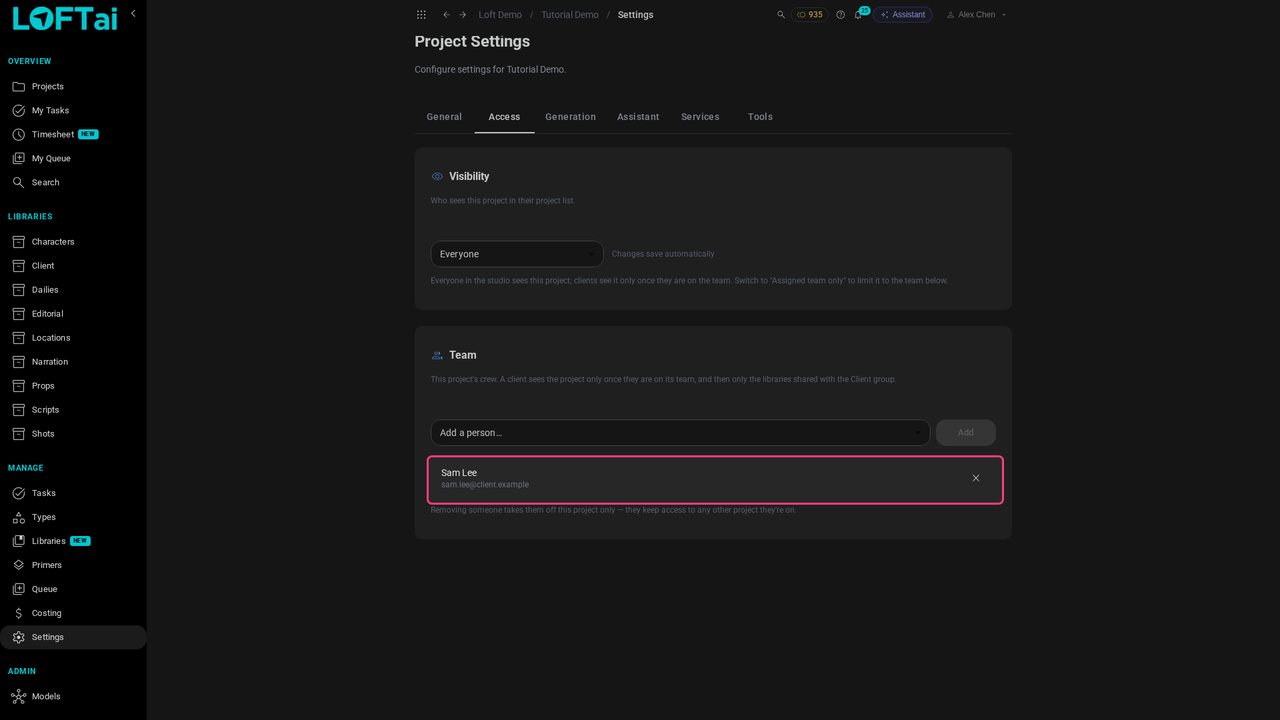
A client sees a project only once they are on its team. In the project's Settings, open Access, choose Sam Lee under Team and click Add.

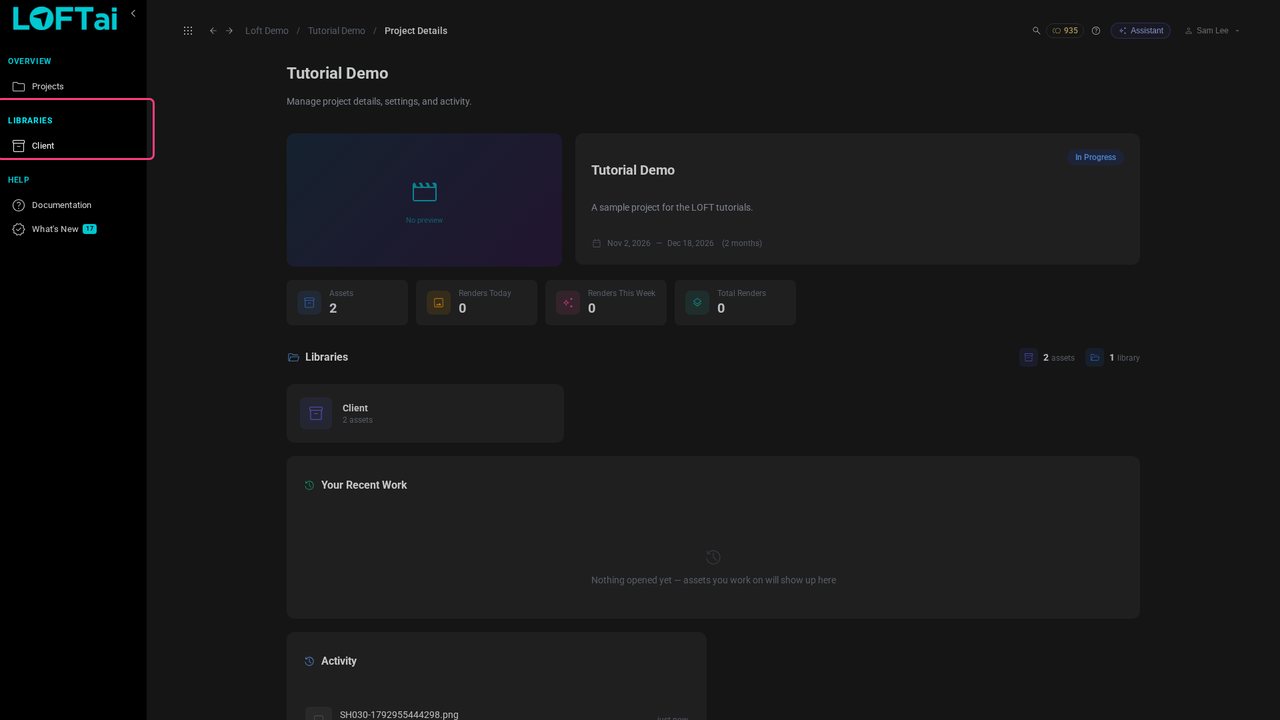
Now as Sam Lee. He sees only the projects he's on, and inside Tutorial Demo one library: Client.

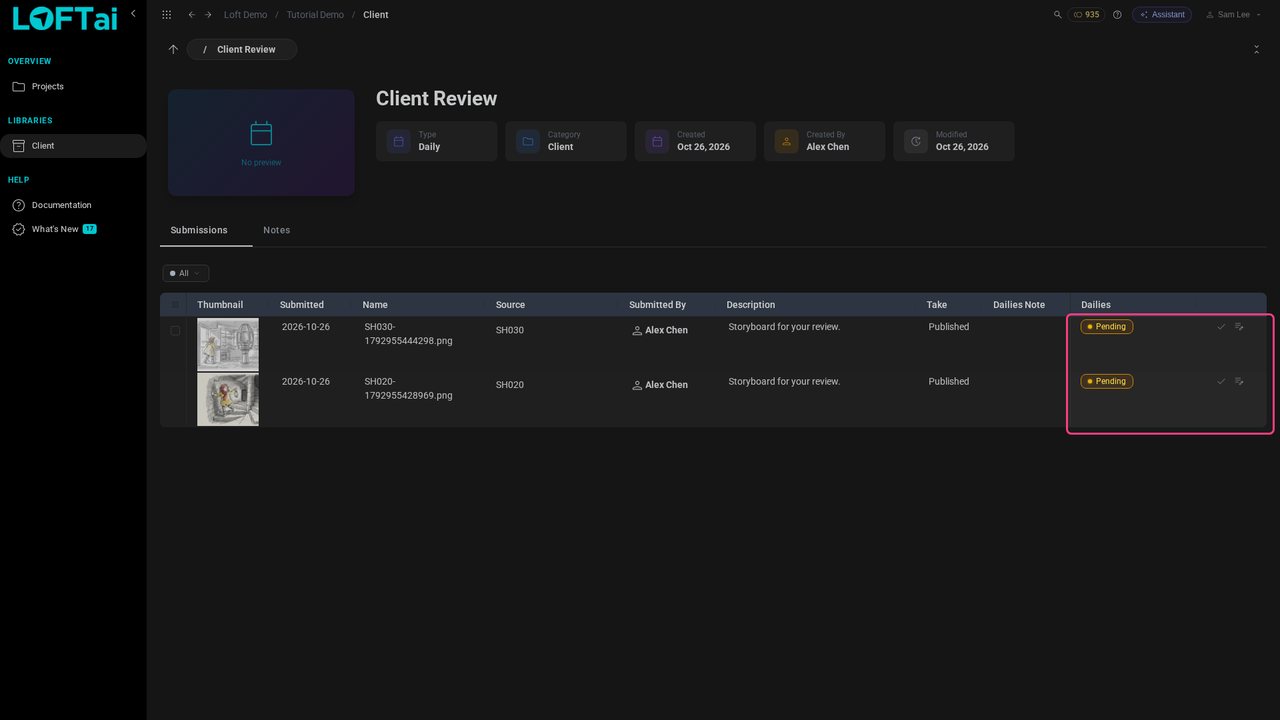
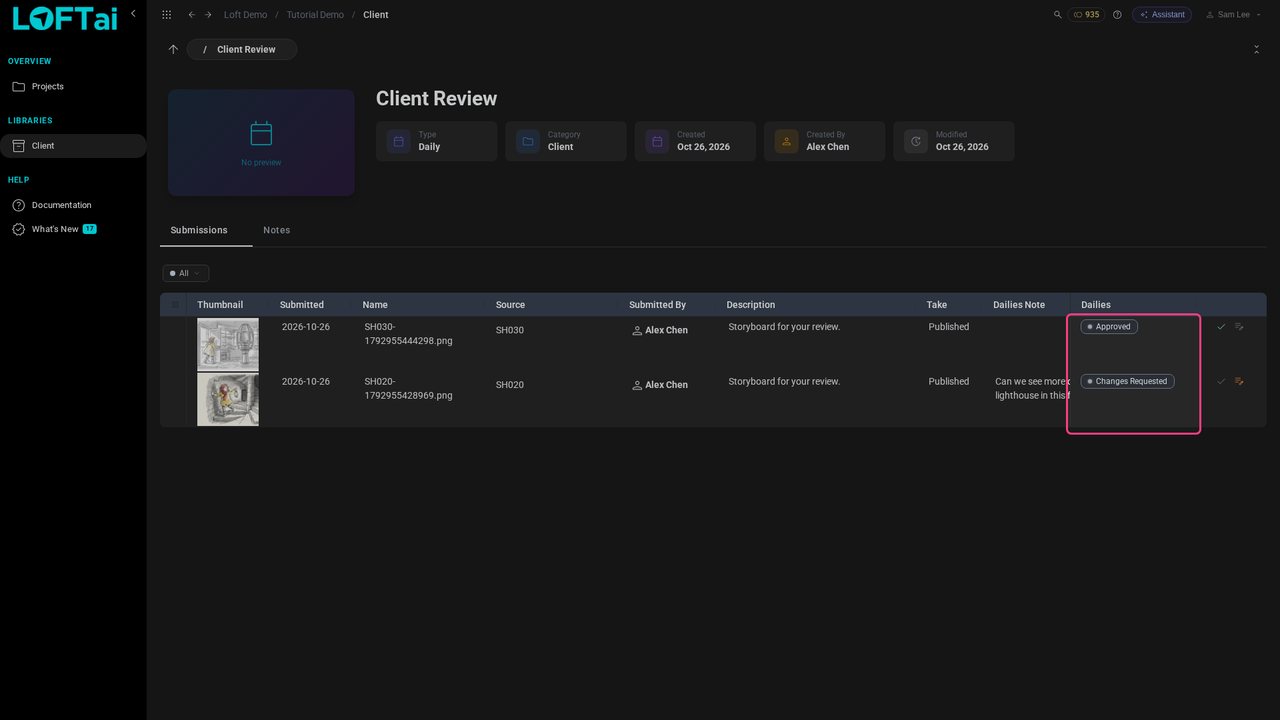
In Client, Client Review lists what the studio submitted: the storyboards, with Alex's note. The shots themselves stay out of sight.

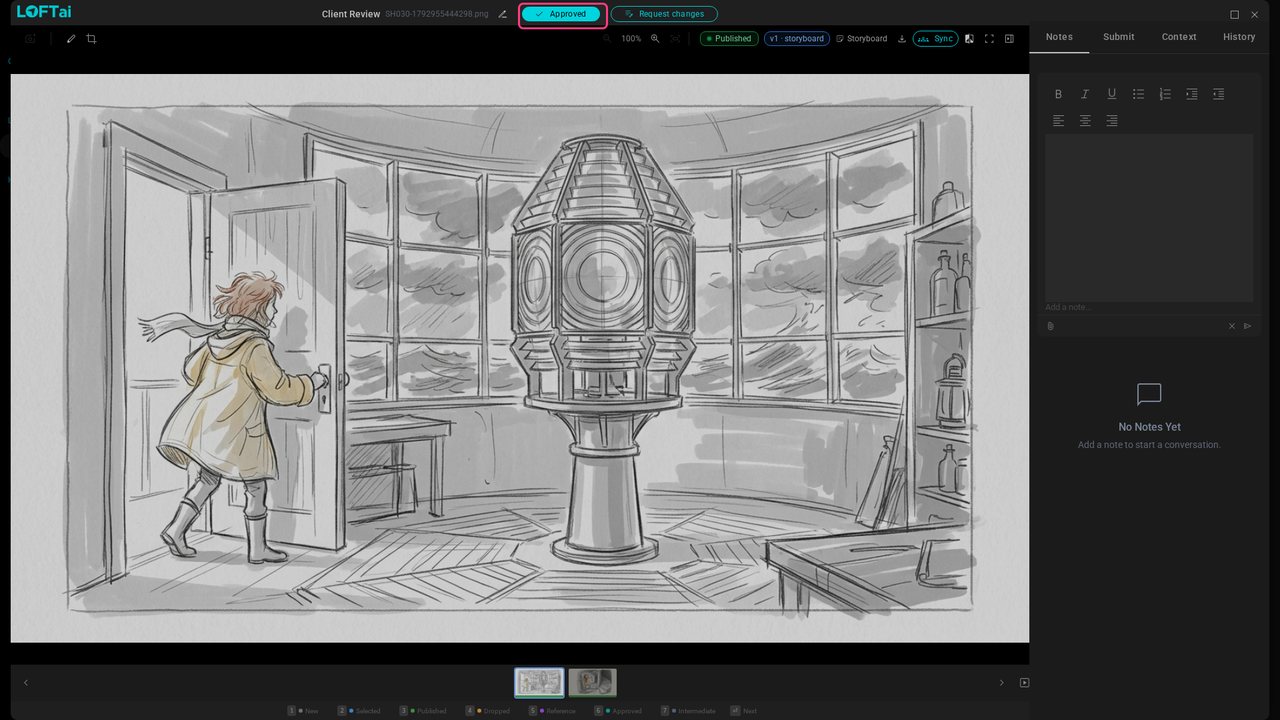
Click a thumbnail to see it full size, then Approve it.

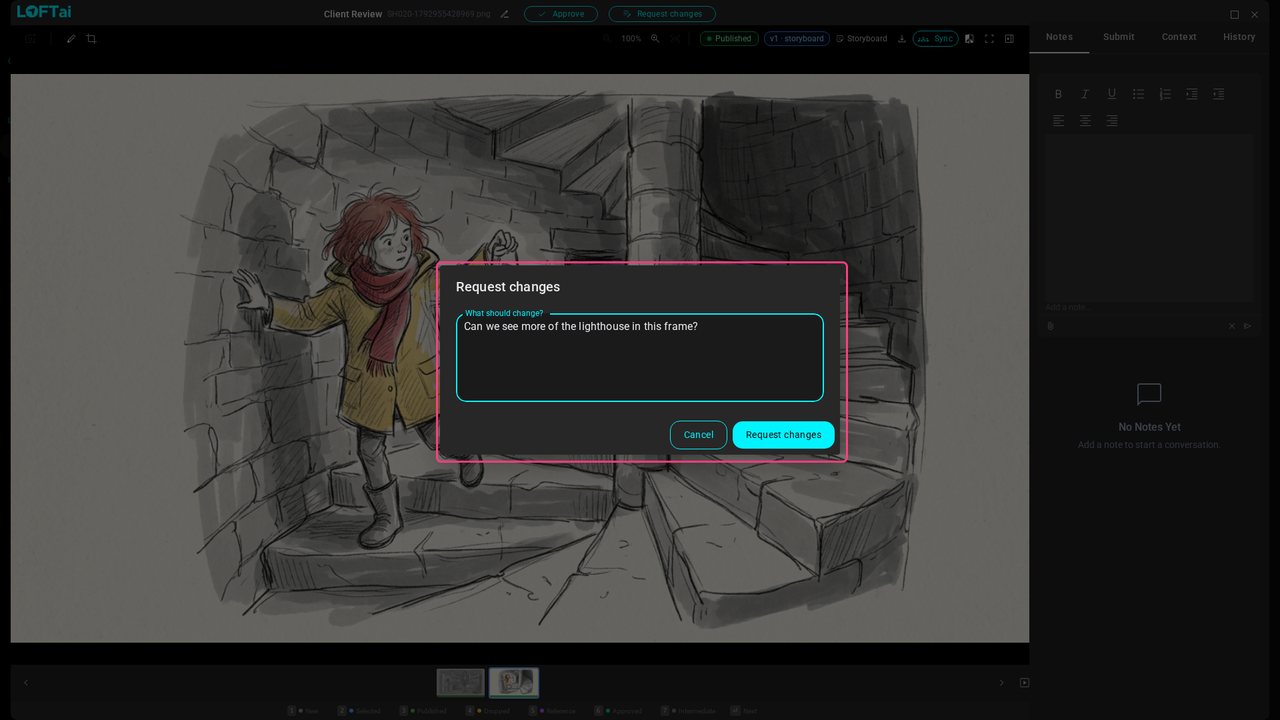
Step to the next storyboard and click Request changes. The note is the client's word to the studio.

Click Request changes in the dialog. Back in the list, each storyboard shows Sam's verdict and note.

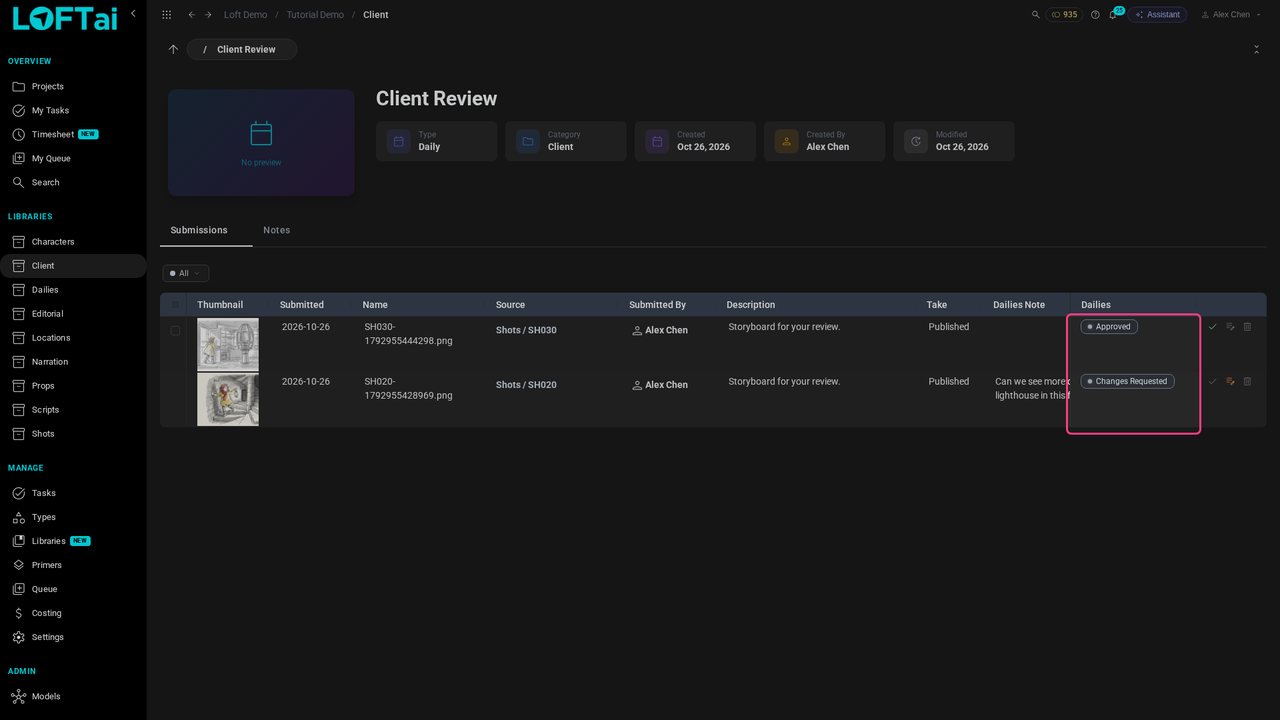
Back as Alex, Client Review shows each verdict and the client's note. The note also lands on the storyboard itself, where the artist finds it.